Indicator Analysis and Exceptions
Each indicator's calculation, trend and exception in plain sight.
Indicators are stored as daily values; the period result follows the indicator's rule. Sum indicators (tonnes, counts, hours) add up the days, average indicators (ratios, %, days) average the days with data; production-related ratios are weighted by that day's output, and ratio indicators are calculated from period totals.
What you gain with SCOREX
- Monthly indicators use completed months only; in the current month the result shows as not yet available.
- An indicator that stays red for three weeks or more is flagged as a deep-dive (A3) candidate.
How it works
Follow an indicator from its formula to its monthly trend and on to the exception list.
-
1
Open the indicator
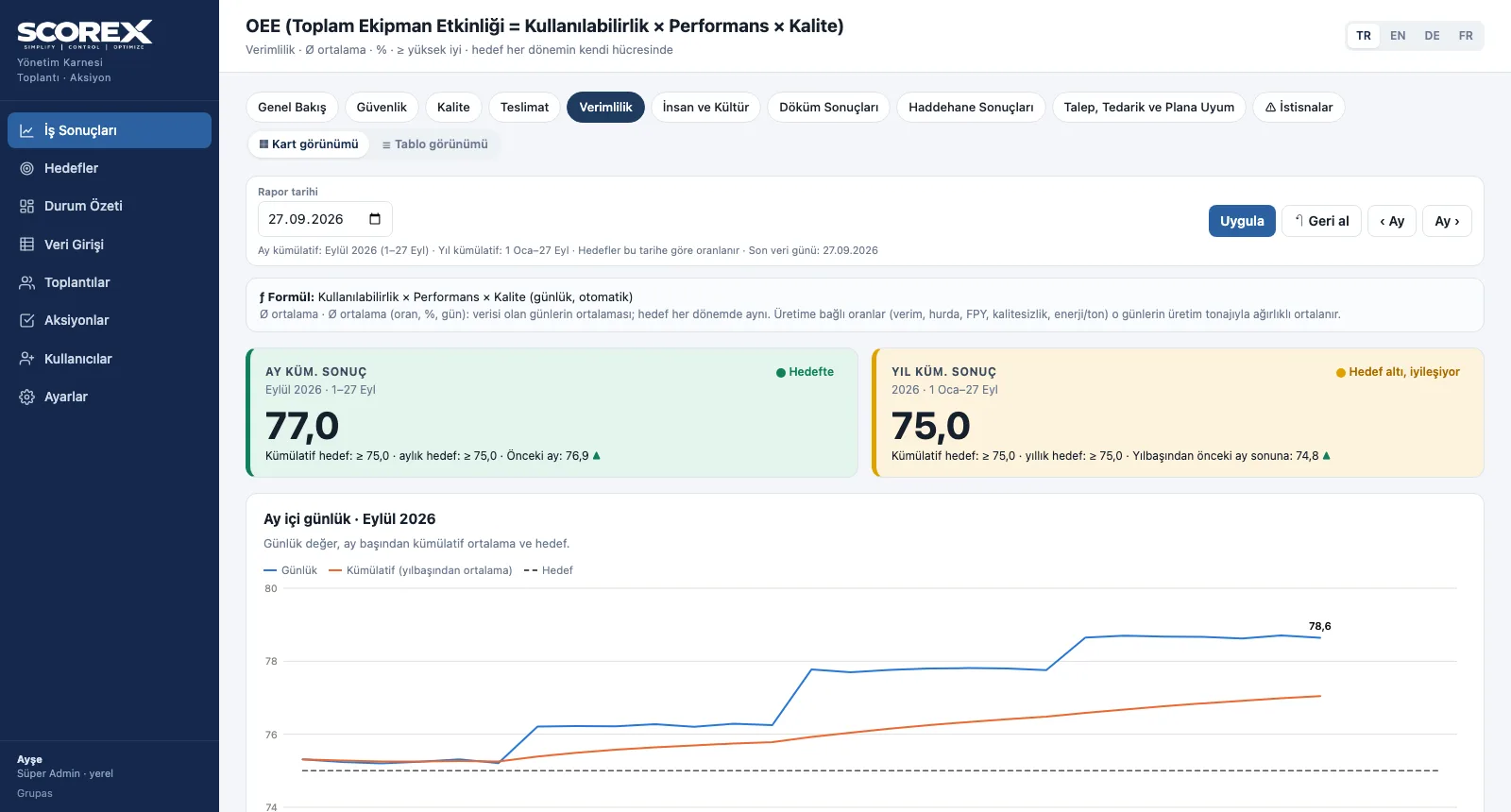
Formula, month- and year-to-date result, target and direction; below it the daily chart of the month.
-
2
Review the monthly trend
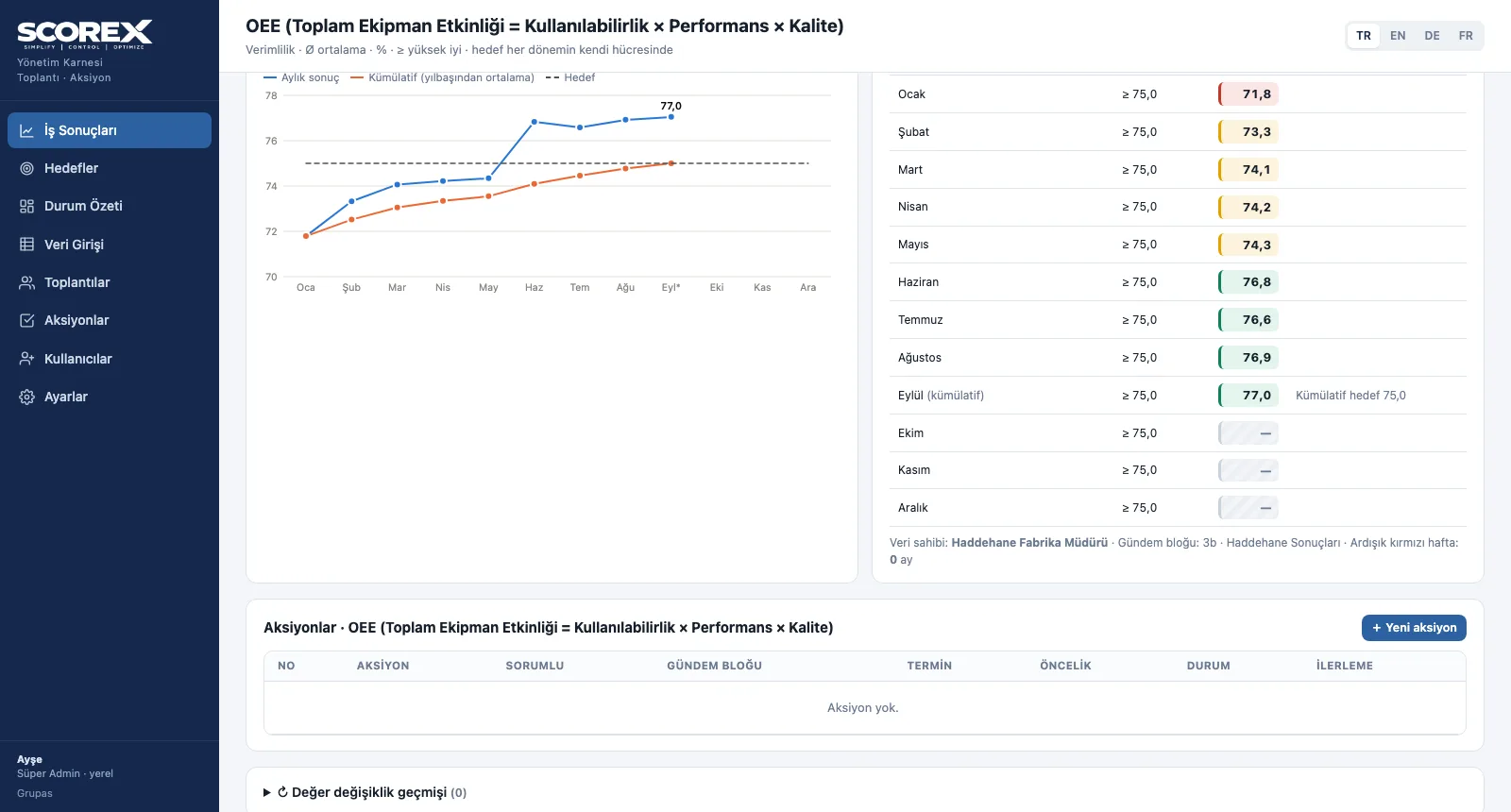
Monthly result and cumulative chart for the year, with each month's target and coloured result in a table.
-
3
Handle the exceptions
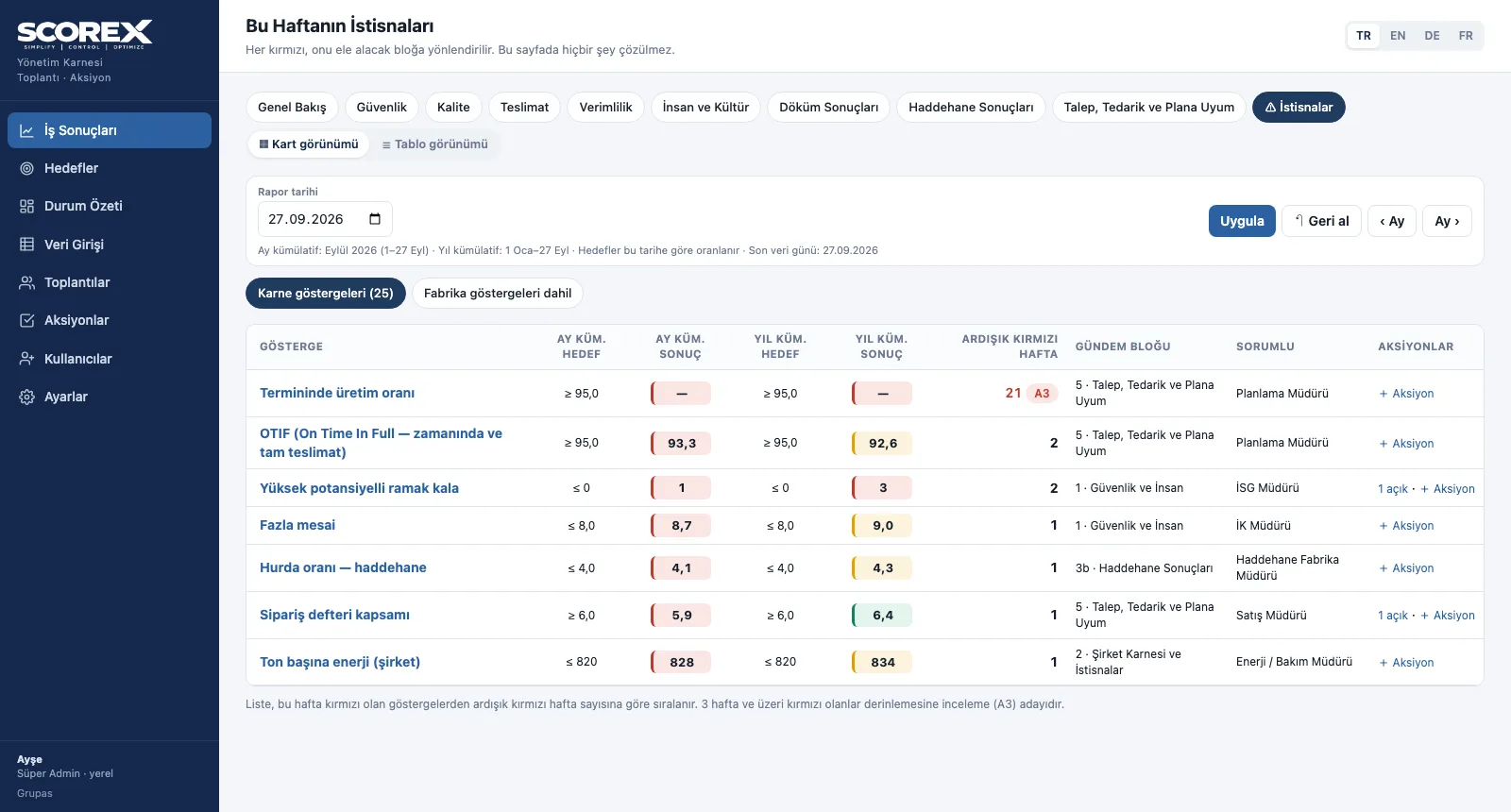
This week's reds ranked by consecutive red weeks; an action can be opened from every row.
Screens are shown with the sample scorecard; the application interface is available in four languages (TR / EN / DE / FR).
Purpose
To end results that change with whoever calculates them, and to follow a red down to its cause.
Features
- Indicator page: formula, month- and year-to-date result cards, direction against the previous period
- Daily chart for the month (daily, cumulative, target) and monthly chart for the year
- Monthly target and result table, actions linked to the indicator, value change history
- Calculated indicators (OEE, ratios, costs) are not entered; they are derived from their components
- Exceptions: this week's reds, ranked by consecutive red weeks, with their agenda block and owner
Benefits
- No more arguing over sum or average
- Chronic reds rise to the top on their own
- An action opens from any red in one click
Who uses it
Indicator owners, plant managers, performance and operational excellence teams.
All features
See your scorecard in SCOREX
Write to us for a live walkthrough on the sample scorecard.
Request a demo