
Targets, Excel and Period Lock
Targets, Excel transfer and period lock: data stays safe, comparisons stay right.
Each indicator has a default target, a direction (higher is better / lower is better) and an optional monthly or weekly target. Data and targets move in and out through Excel: a file is previewed first, nothing is written without approval, and an approved upload can be undone in one click. Closed periods are locked.
What you gain with SCOREX
- For sum indicators, target = weekly target / 7 × days; for averages the target is the same in every period.
- Locked days cannot be written manually or by Excel; undoing uploads and bulk deletes leave them untouched.
How it works
Set the targets, transfer data safely with Excel and lock the closed period.
-
1
Enter the targets
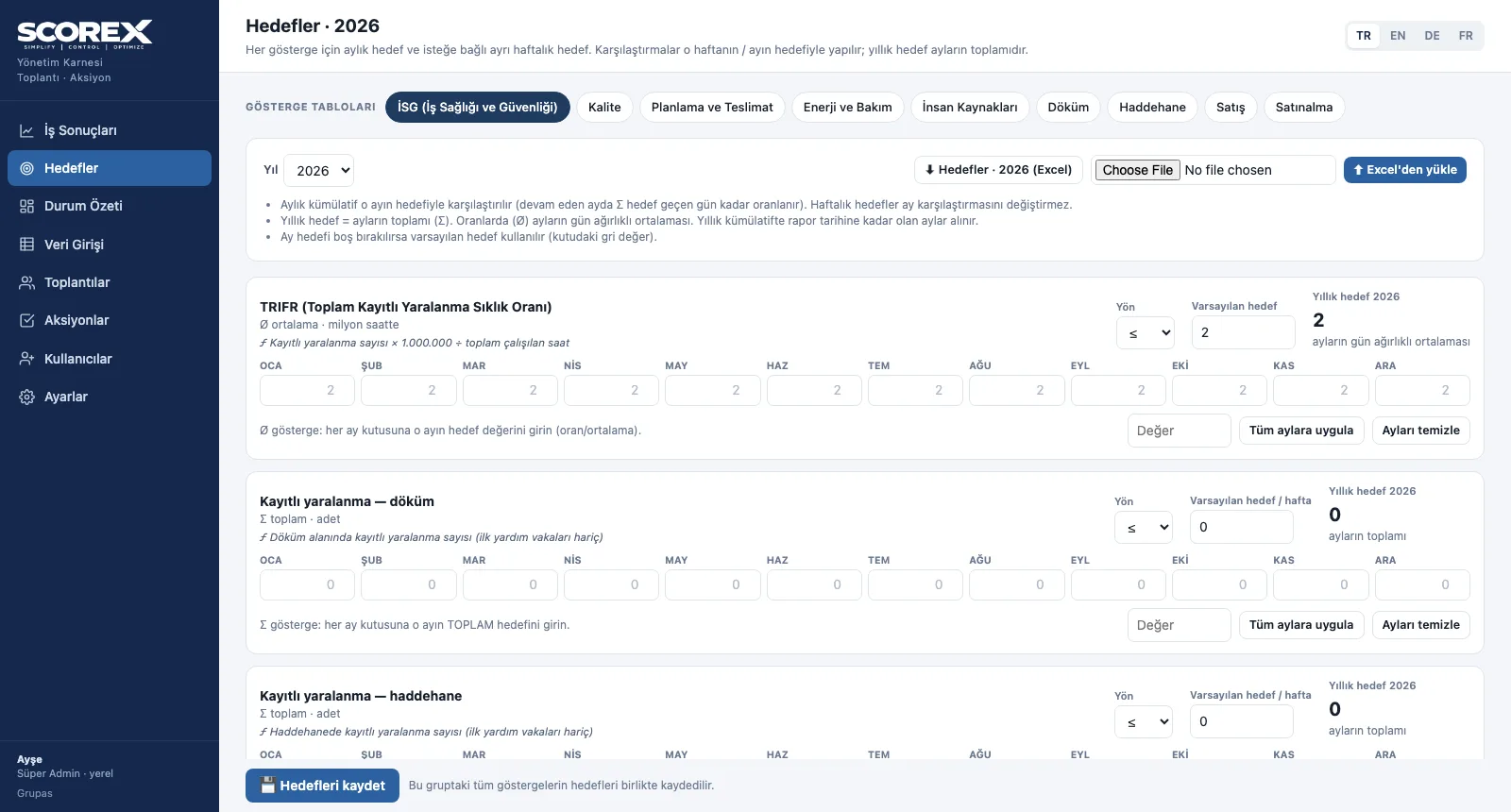
Per indicator: direction, default target and month-by-month targets; the annual target is calculated.
-
2
Preview the Excel file
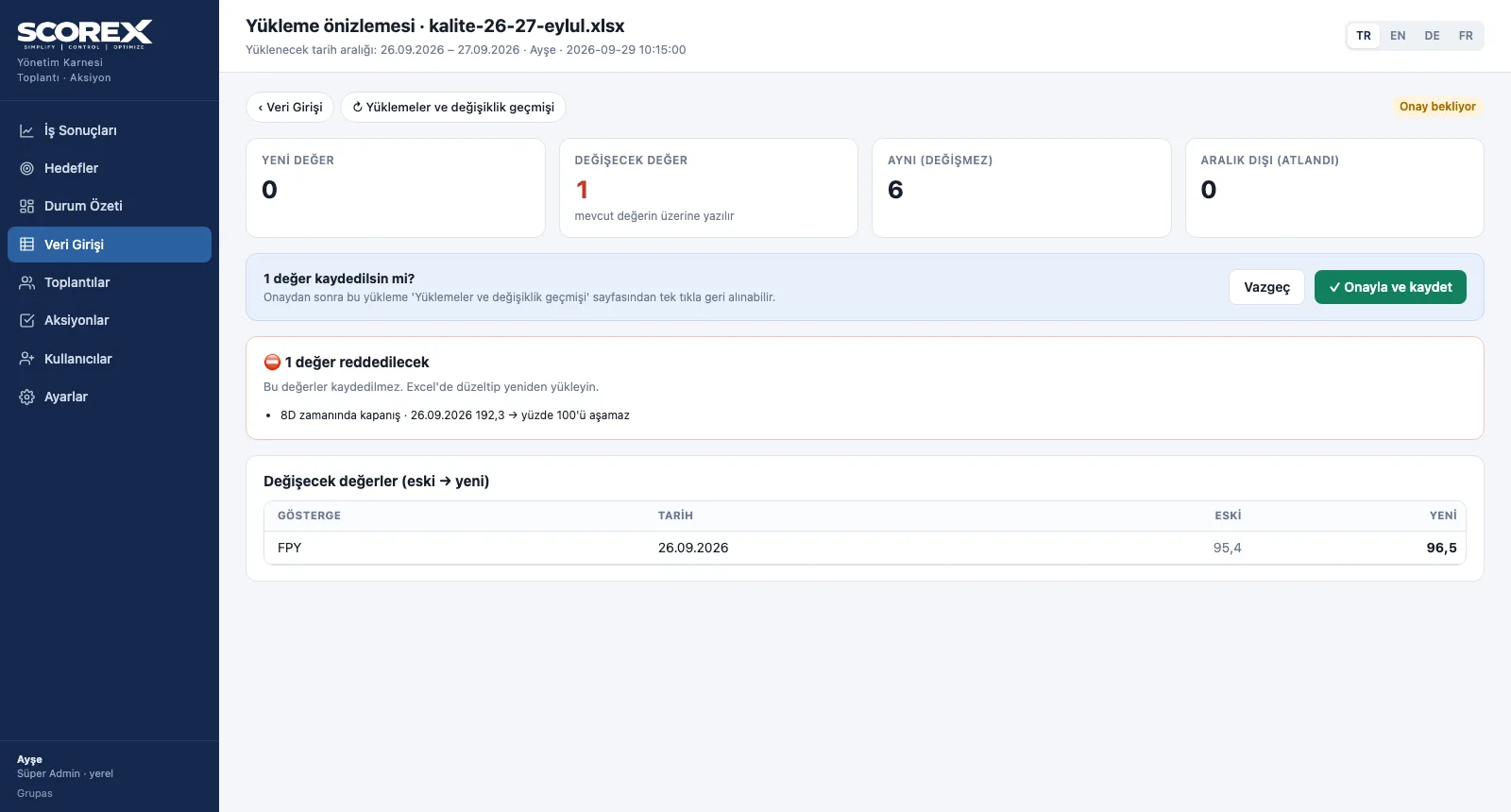
When the filled template is uploaded, changes are shown old → new and invalid rows are rejected.
-
3
Track the history
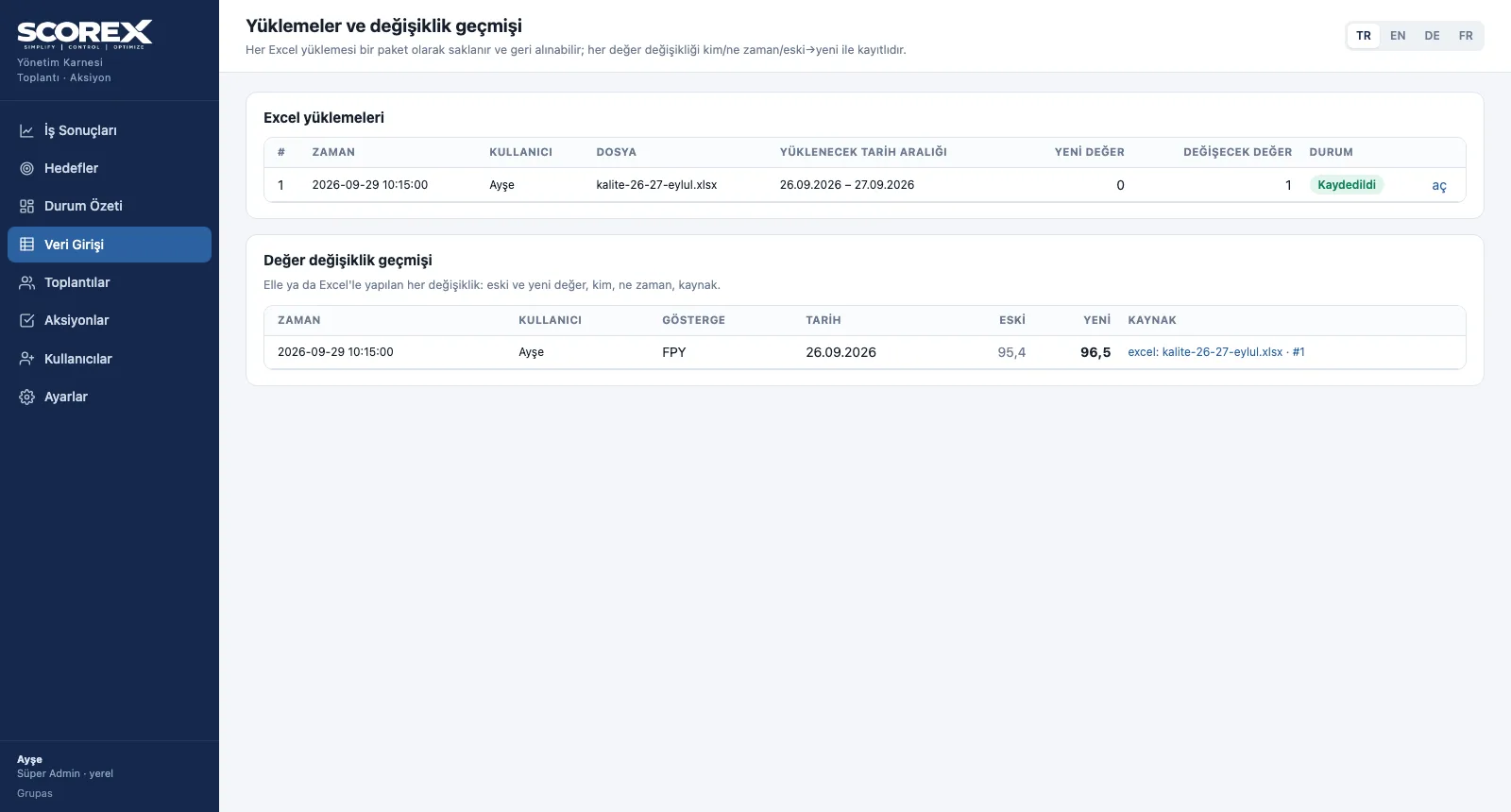
Every approved upload is kept as a batch and can be undone; every value change is logged with its source.
-
4
Lock the period
Automatic closing day or manual lock date; for corrections the lock opens for a set time, then returns by itself.
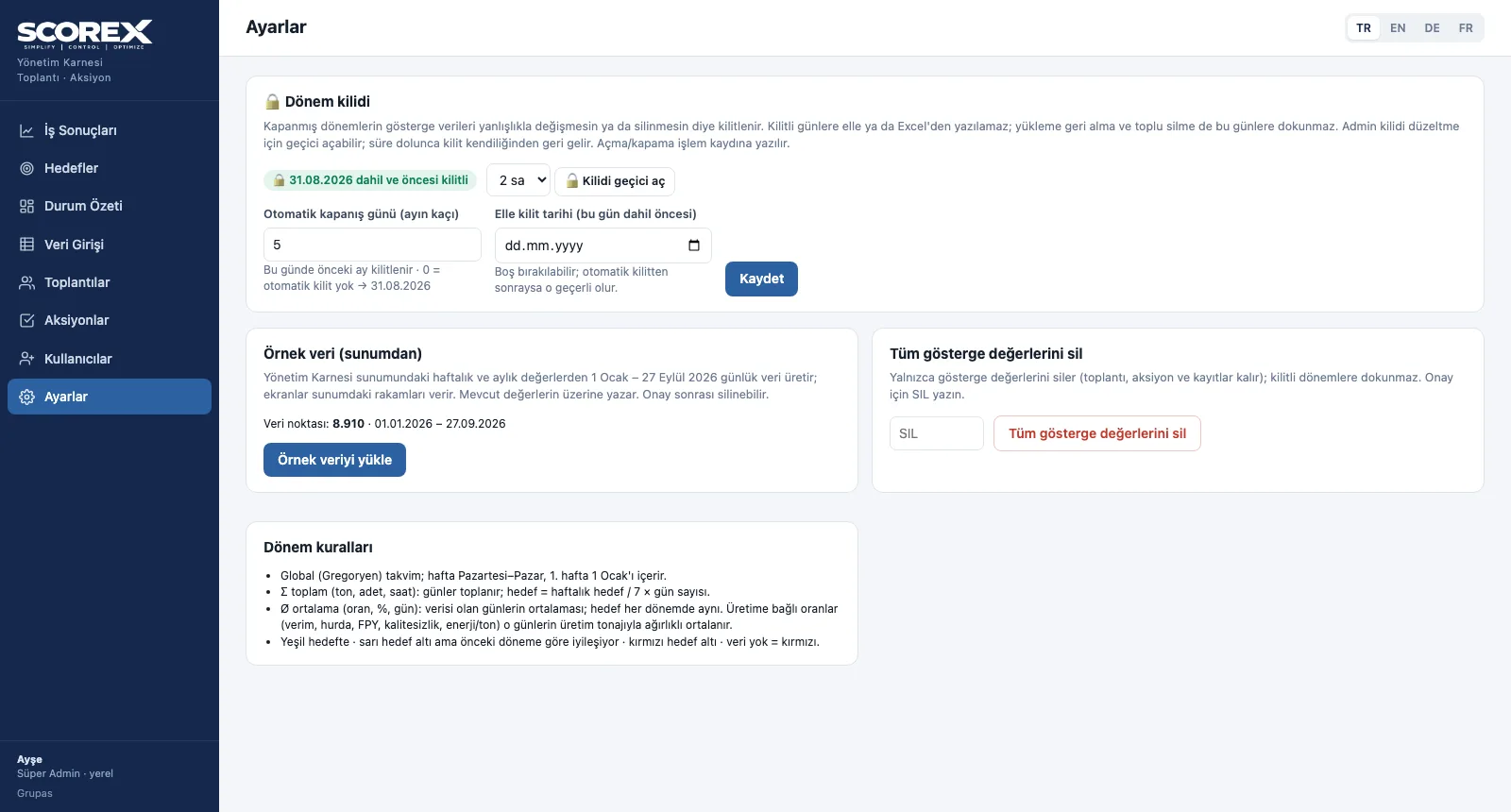
Screens are shown with the sample scorecard; the application interface is available in four languages (TR / EN / DE / FR).
Purpose
To compare against the target of that very period and to protect past data from accidental change.
Features
- Targets: default + 12 monthly targets + optional weekly targets; apply to all months / clear; Excel
- Daily Excel template: a file to fill for the chosen date range; one group or all groups
- Upload preview: new, changed, unchanged and out-of-range values; rejected values and warnings
- Uploads and change history: every batch can be undone; every value change with who / when / old → new
- Period lock: the previous month locks on a set day each month; manual lock date; temporary unlock
Benefits
- A wrong file cannot break the scorecard
- A closed month's figures never change silently
- Seasonal and monthly targets are compared correctly
Who uses it
Scorecard owners, controlling and performance teams, system administrators.
All features
See your scorecard in SCOREX
Write to us for a live walkthrough on the sample scorecard.
Request a demo