Action Tracking
Every action born in a meeting or from an indicator is tracked until it closes.
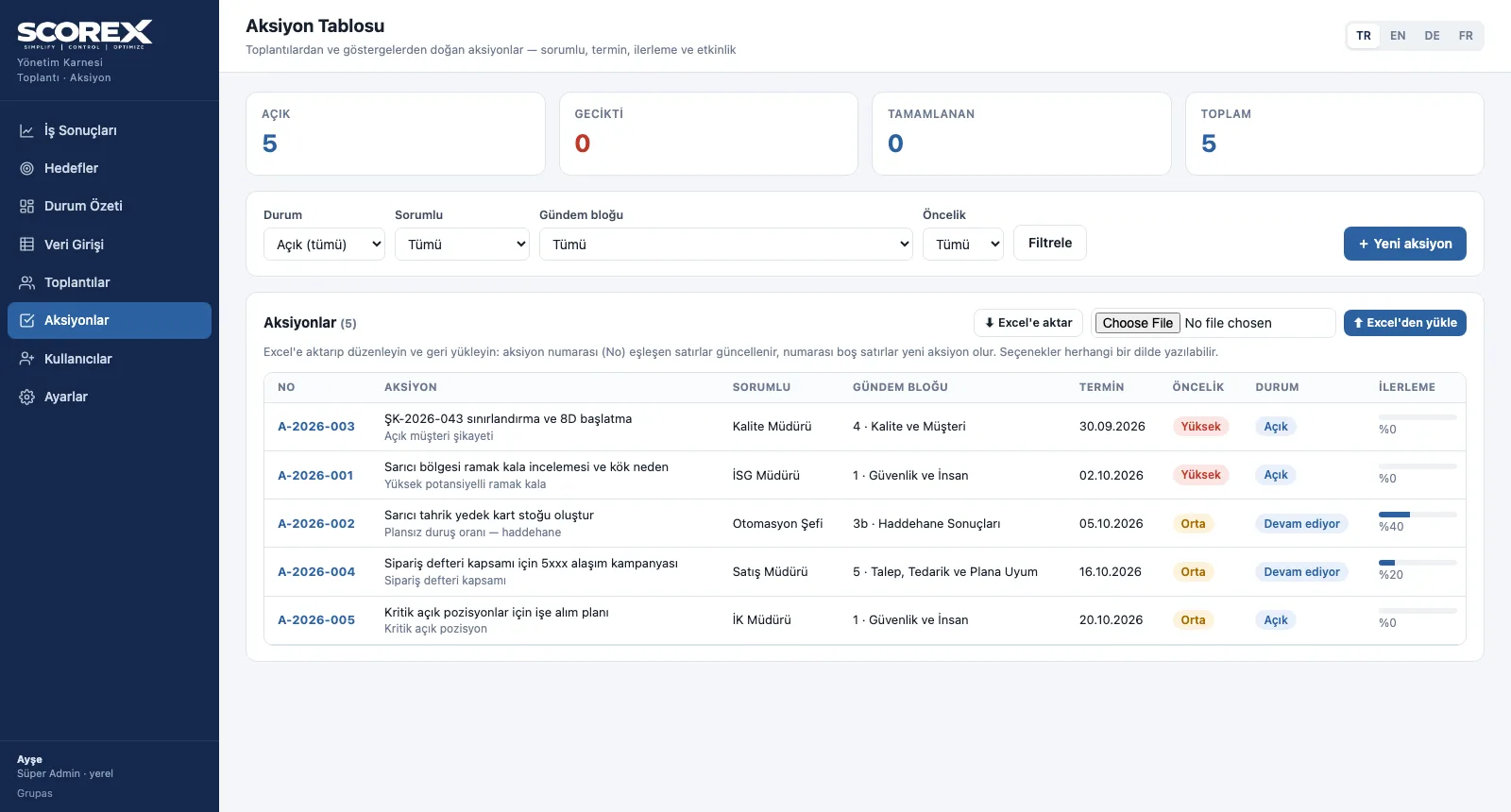
The action table brings every action together with its number, owner, agenda block, due date, priority, status and progress. An action past its due date shows as overdue on its own; whether a completed action was effective is verified separately.
What you gain with SCOREX
- Action numbers are assigned automatically per year (e.g. A-2026-001).
- In Excel, rows with a matching number are updated; rows without a number become new actions.
How it works
Open the action, follow it up, verify its effect.
-
1
Filter the table
Filter by status, owner, agenda block and priority; overdue actions show with a red warning.
-
2
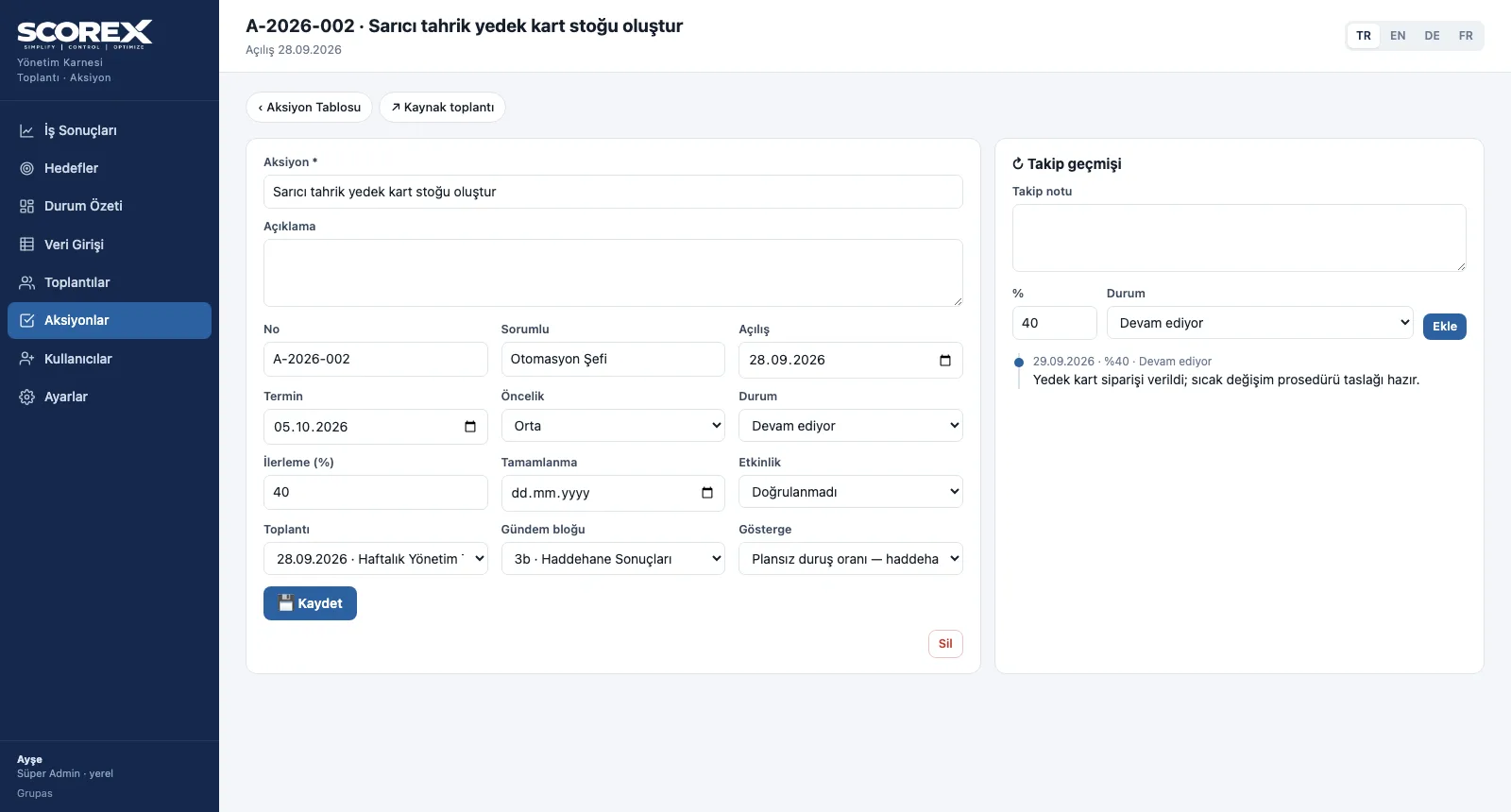
Add a follow-up note
On the action card, a follow-up note is written with progress and status; the history builds up on the right.
Screens are shown with the sample scorecard; the application interface is available in four languages (TR / EN / DE / FR).
Purpose
To make visible whether decisions are carried out — and whether they work.
Features
- Summary: open, overdue, completed and total actions
- Filters: status, owner, agenda block, priority
- Action card: description, opening and due date, priority (high / medium / low), status, progress %, completion, linked meeting and indicator
- Effectiveness check: not verified / effective / partly effective / not effective
- Follow-up history and Excel: each note with date and progress; the table exports to Excel and uploads back
Benefits
- Overdue actions do not slip by
- Closed work is recorded together with its effect
- The action history is ready for the next meeting
Who uses it
Action owners, department managers and the meeting facilitator.
All features
See your scorecard in SCOREX
Write to us for a live walkthrough on the sample scorecard.
Request a demo