
A tour of the screens
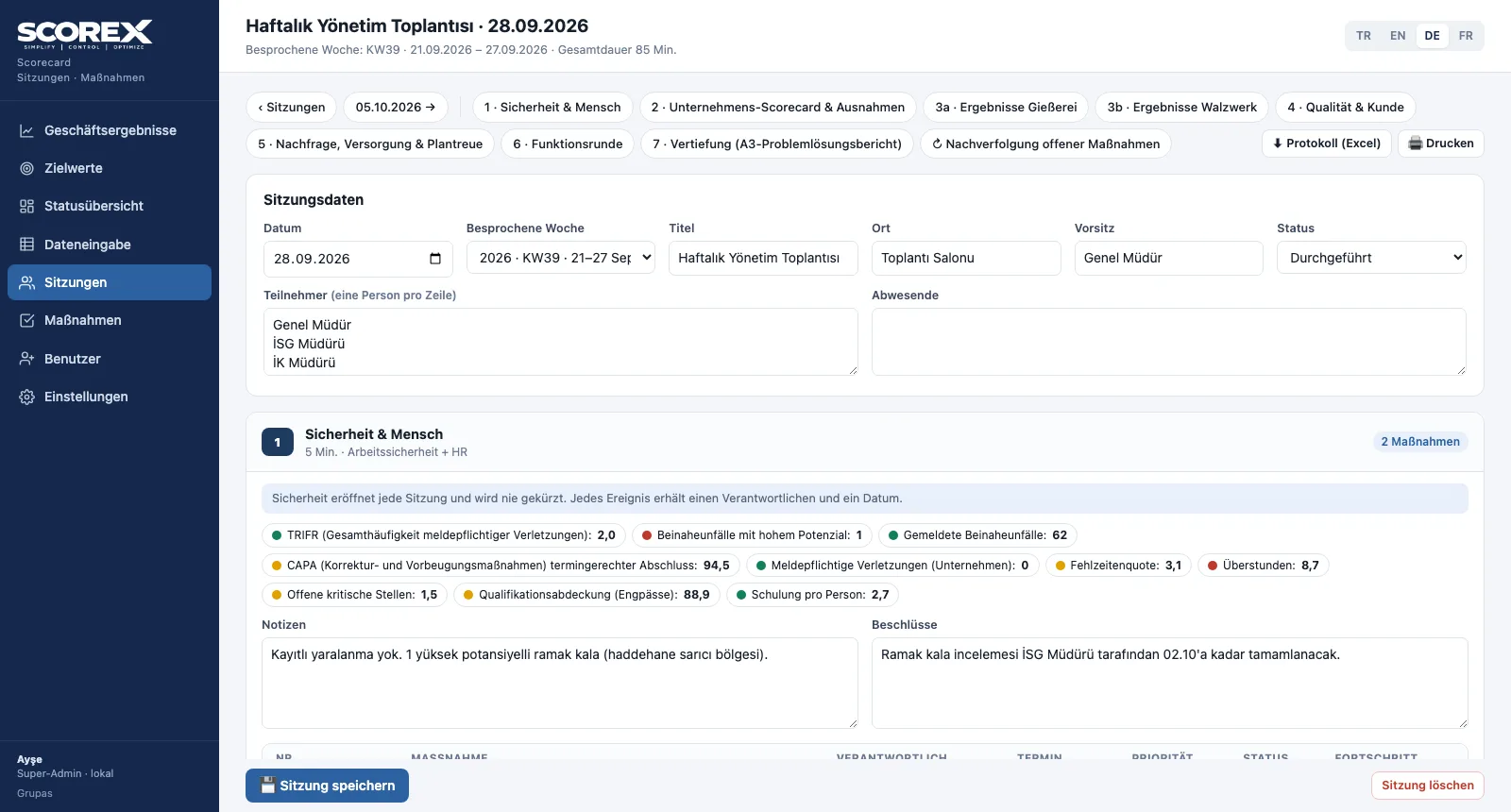
Pick a capability and click the steps; click an image to enlarge it. Screens are shown with the sample scorecard; the application interface is available in four languages (TR / EN / DE / FR).
Screens are shown with the sample scorecard; the application interface is available in four languages (TR / EN / DE / FR).
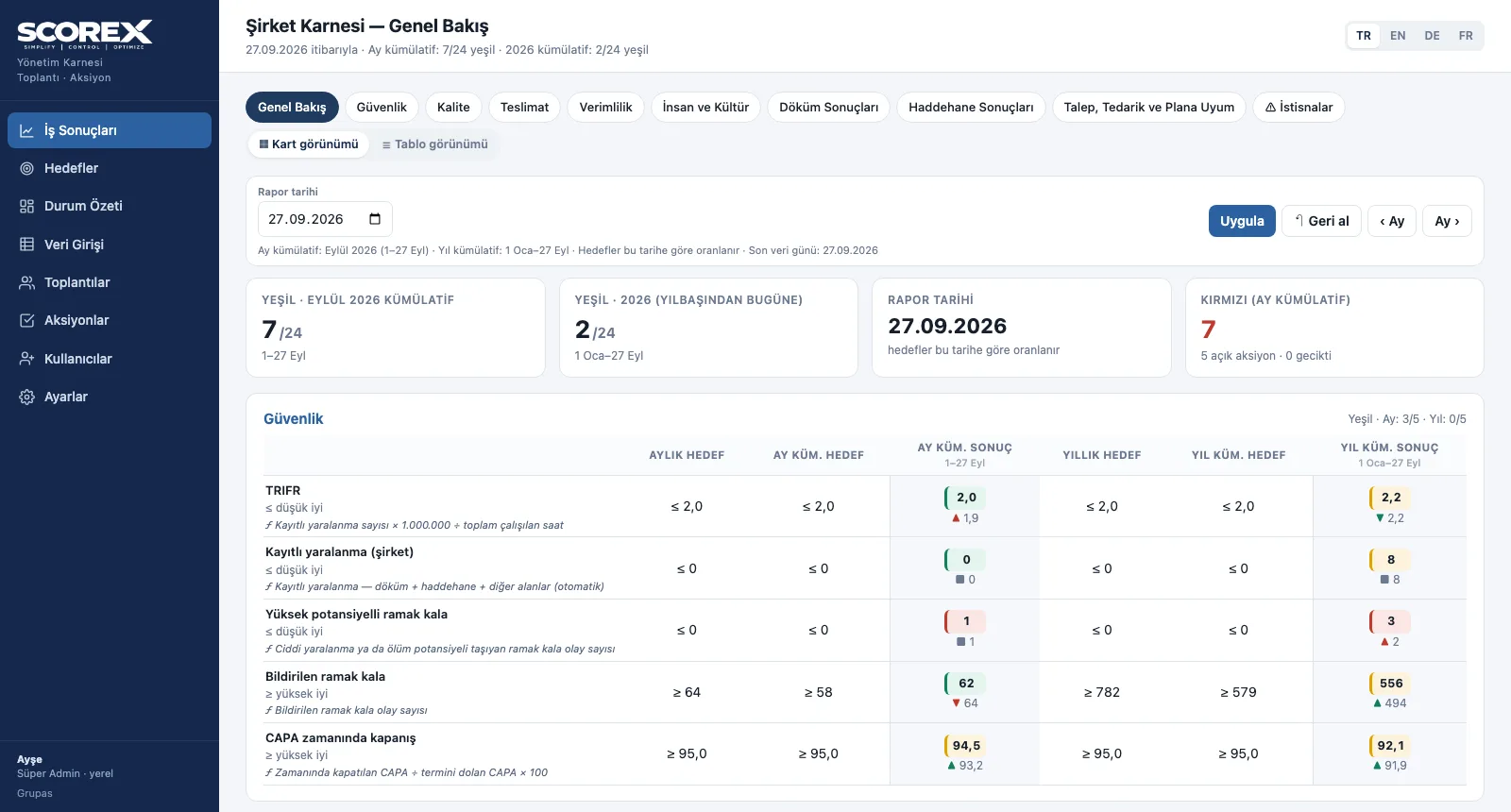
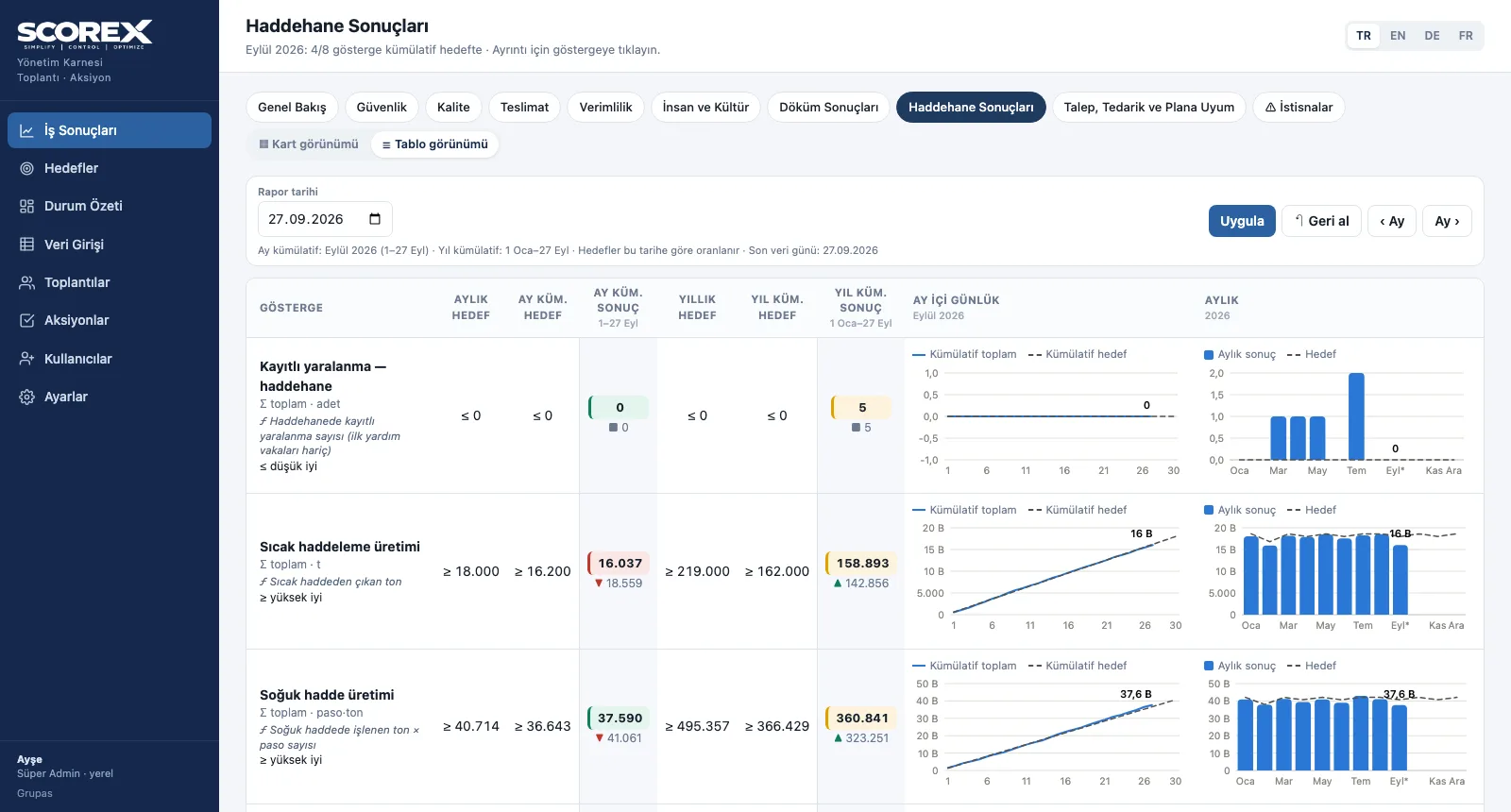
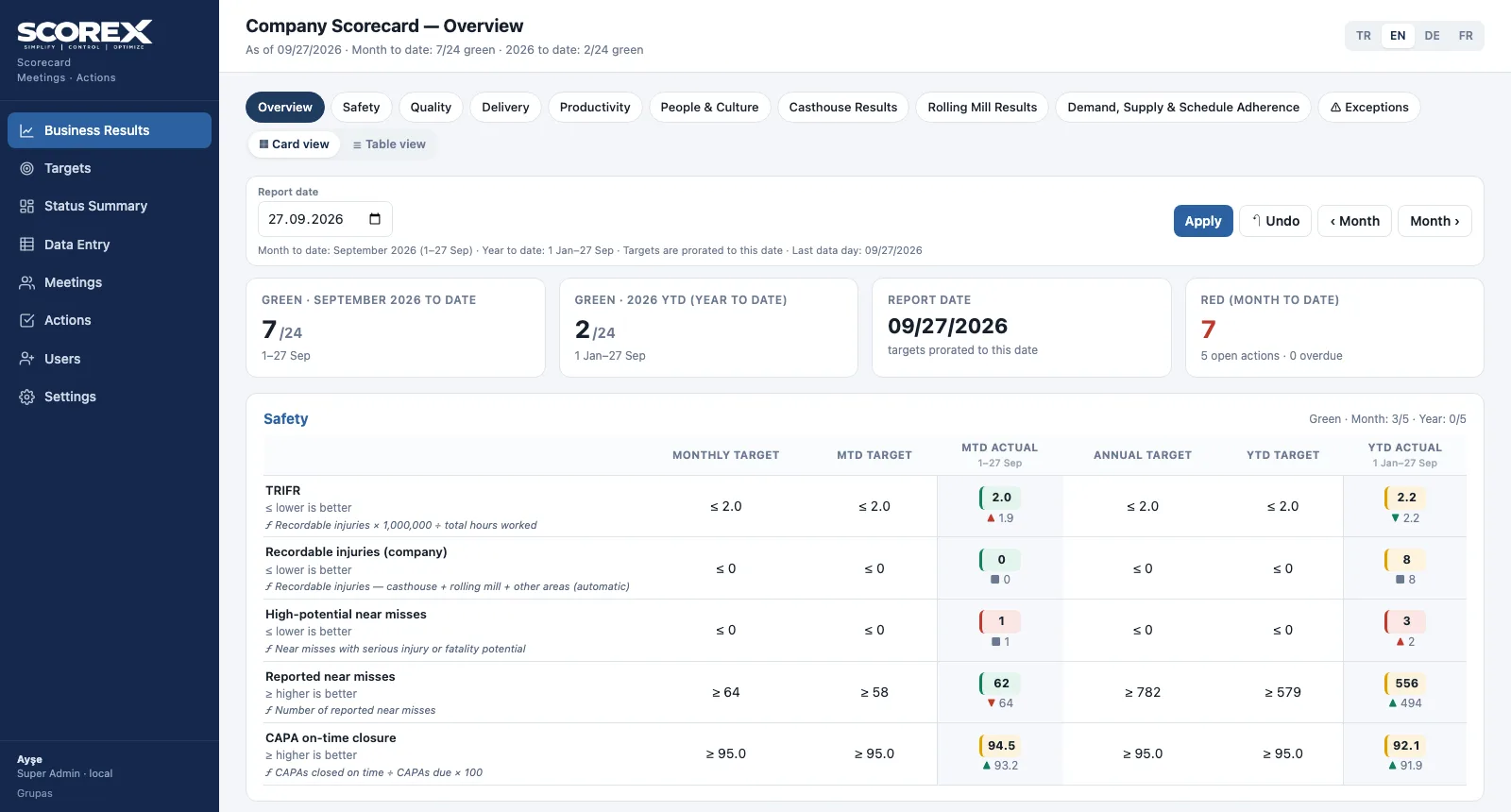
Management Scorecard
Read the scorecard from overview to section, from card view to table, in a few clicks.
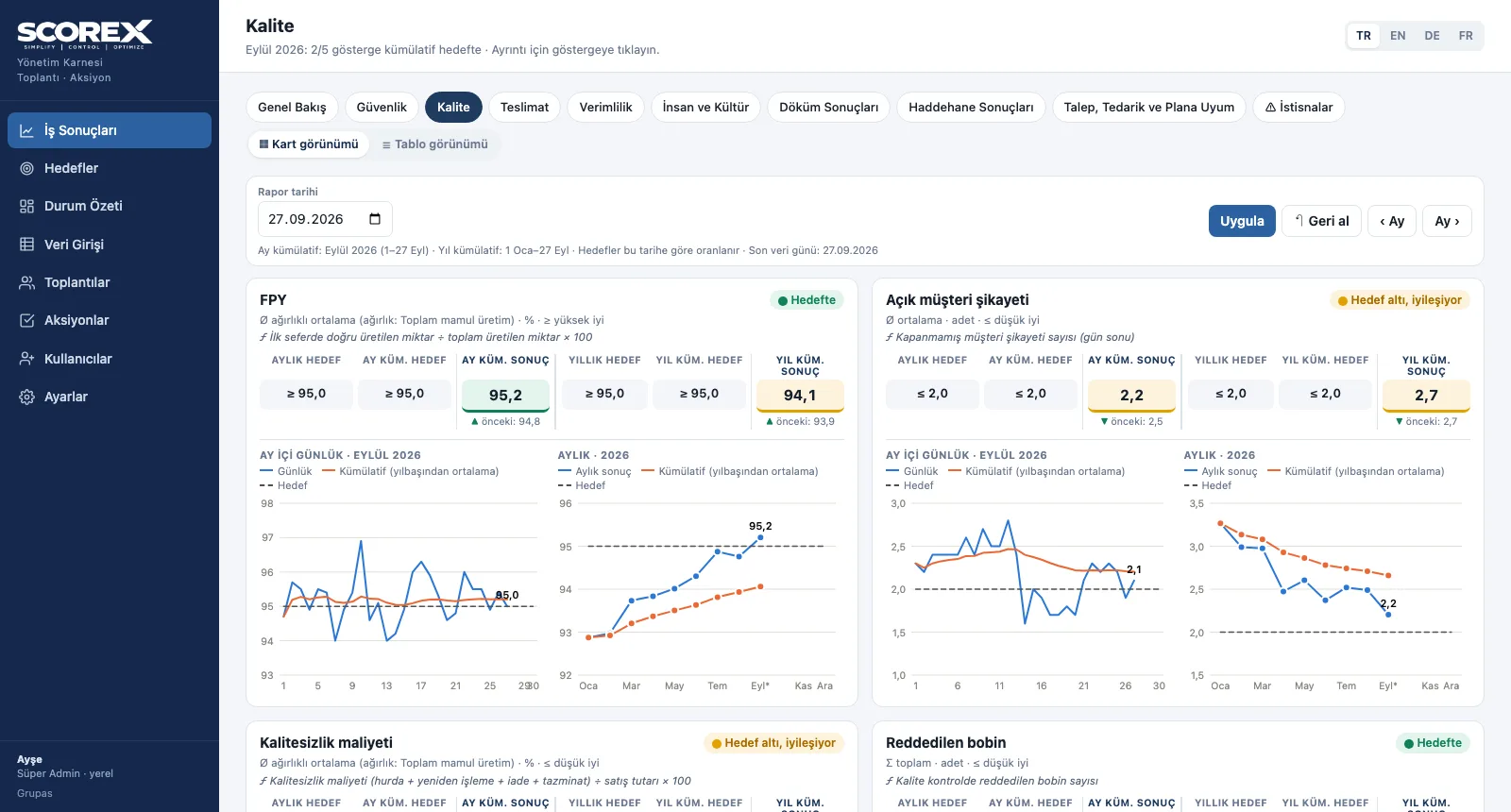
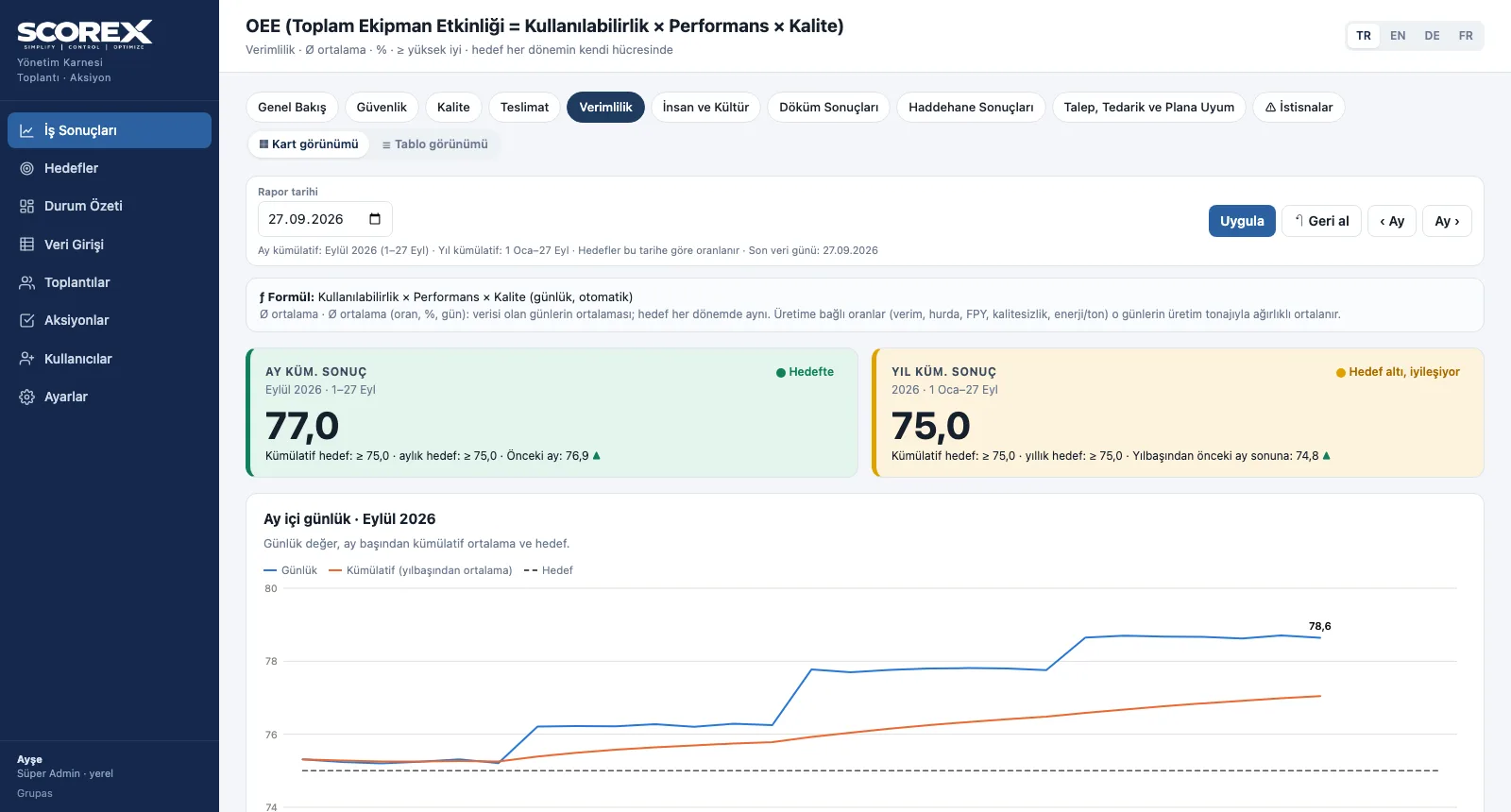
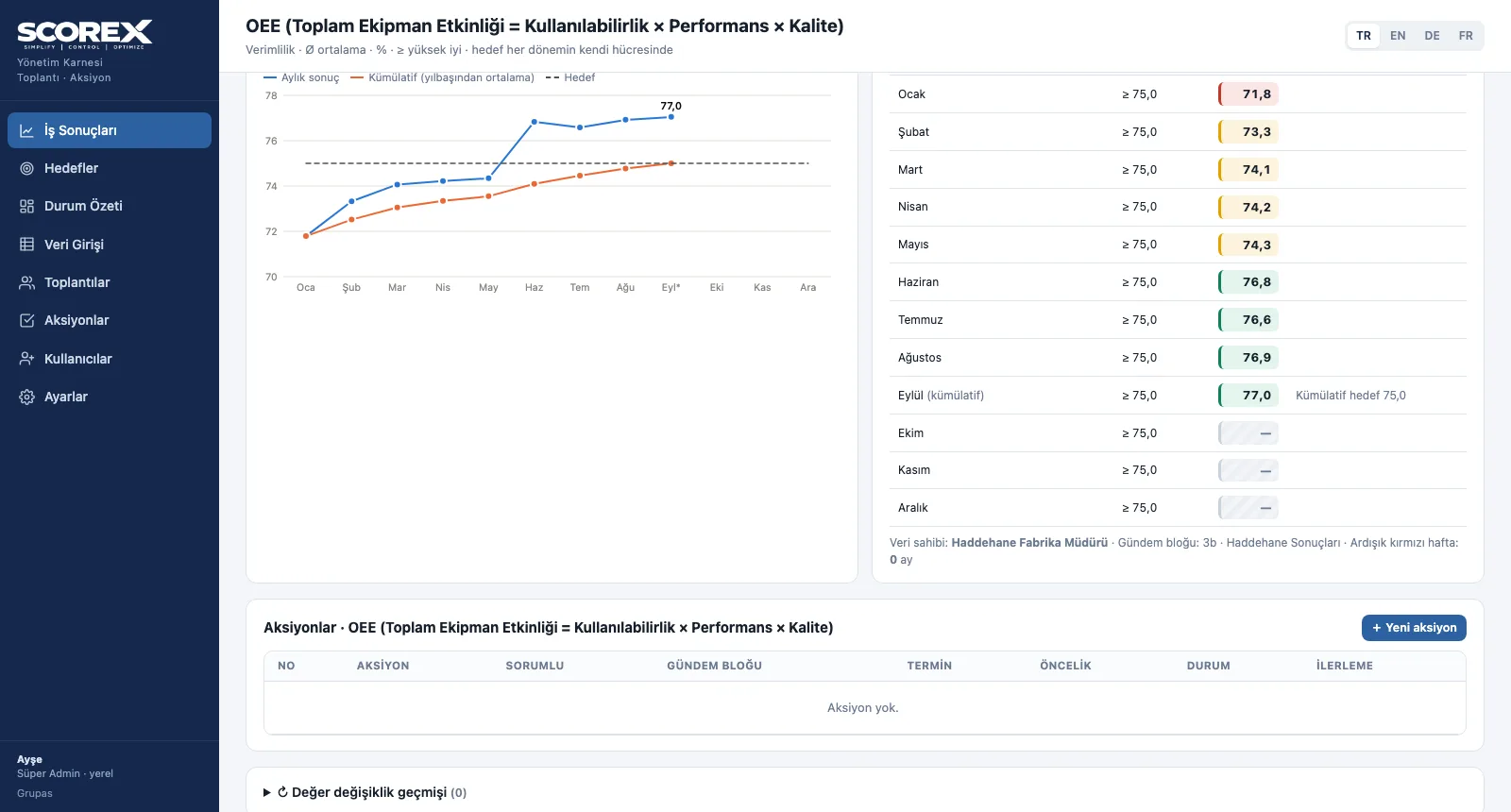
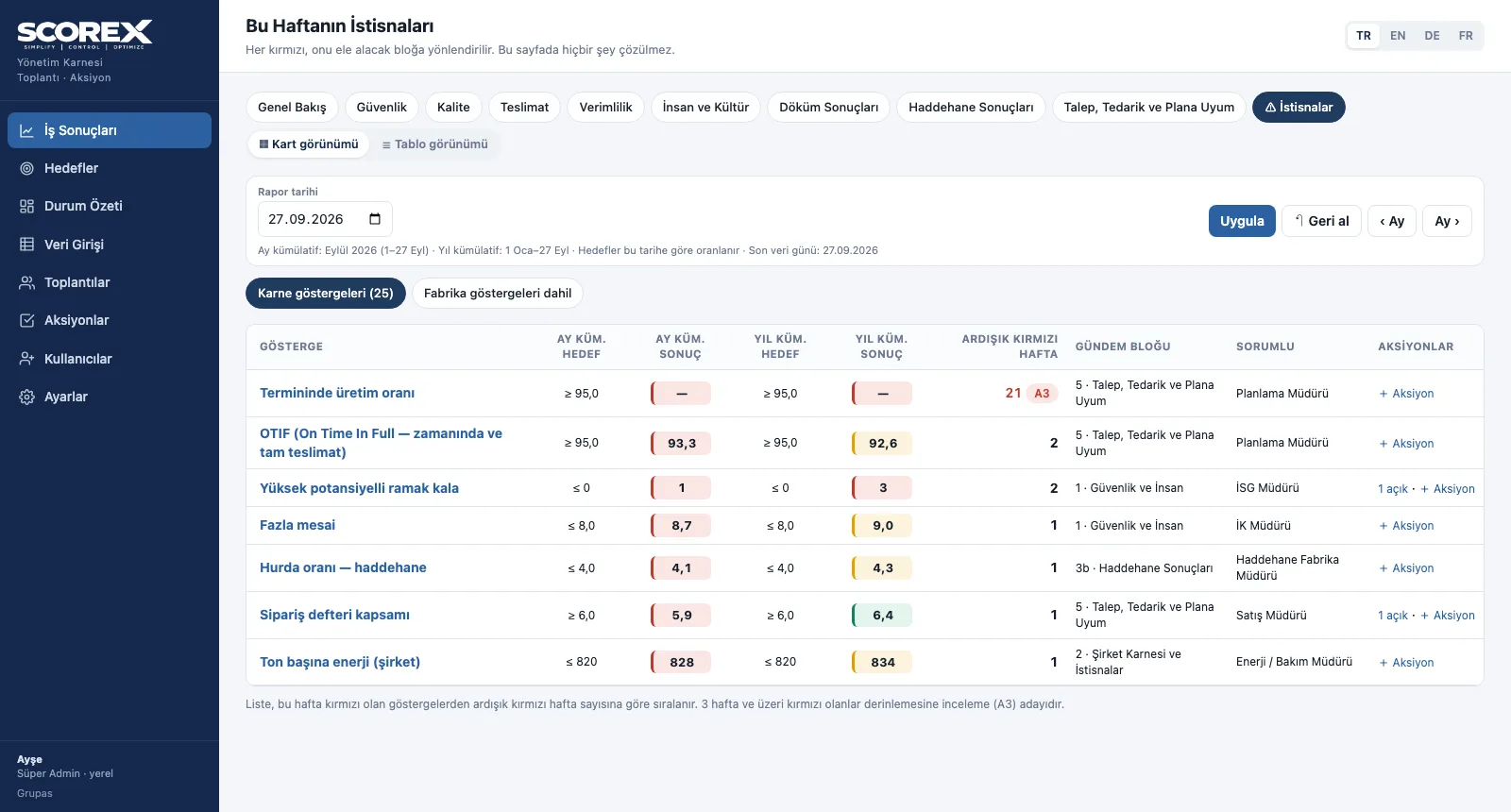
Indicator Analysis and Exceptions
Follow an indicator from its formula to its monthly trend and on to the exception list.
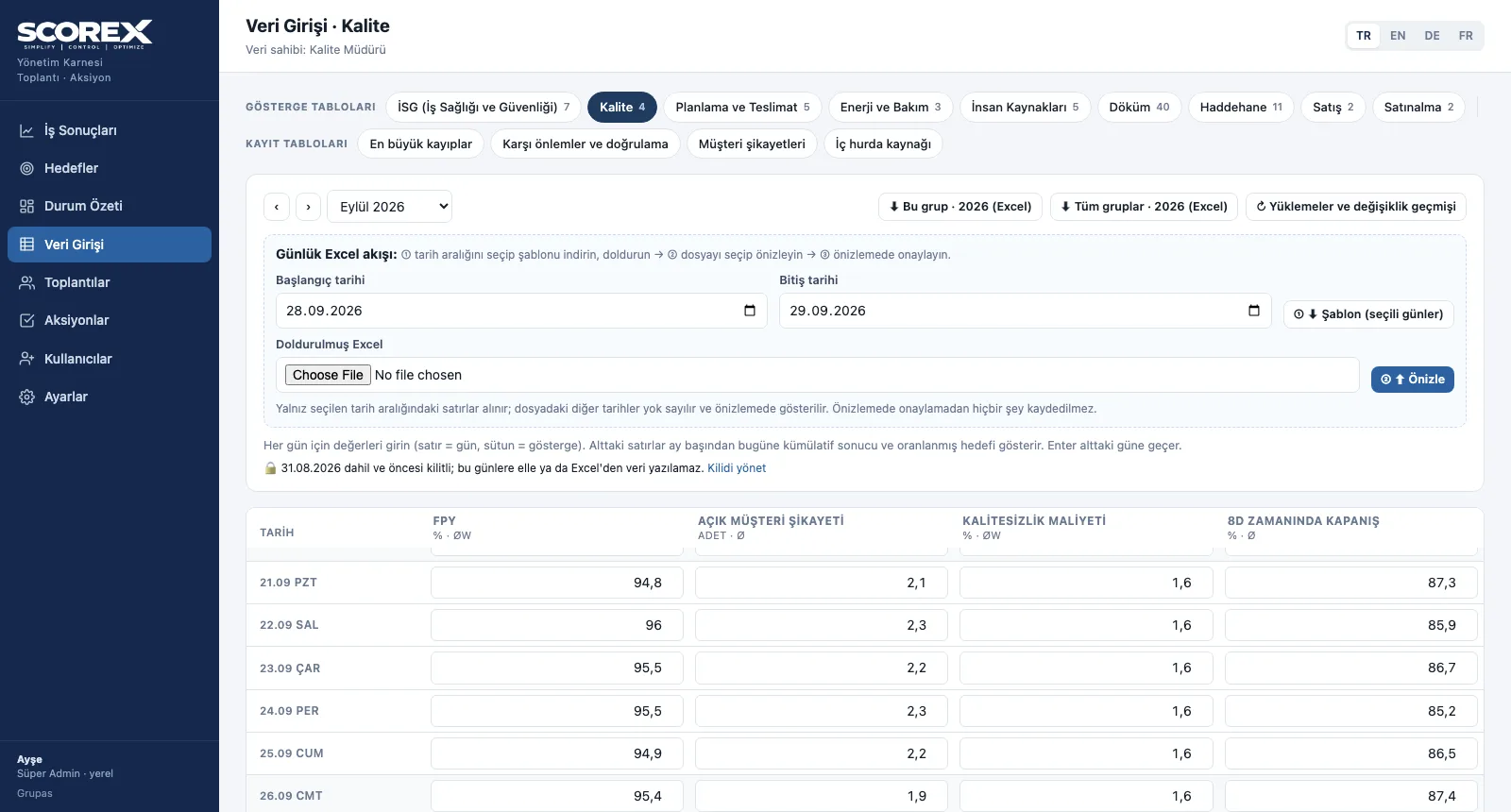
Daily Data Entry
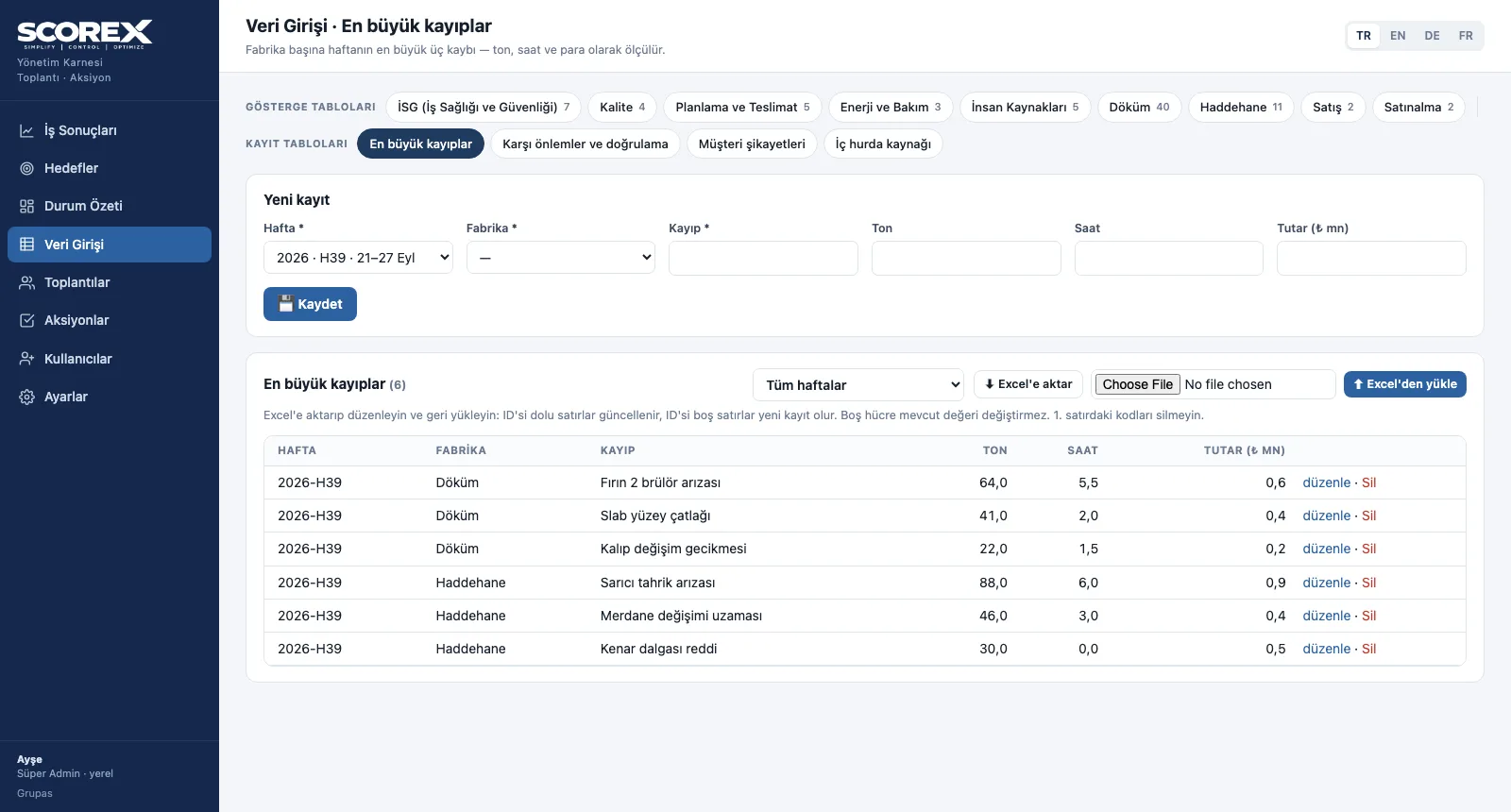
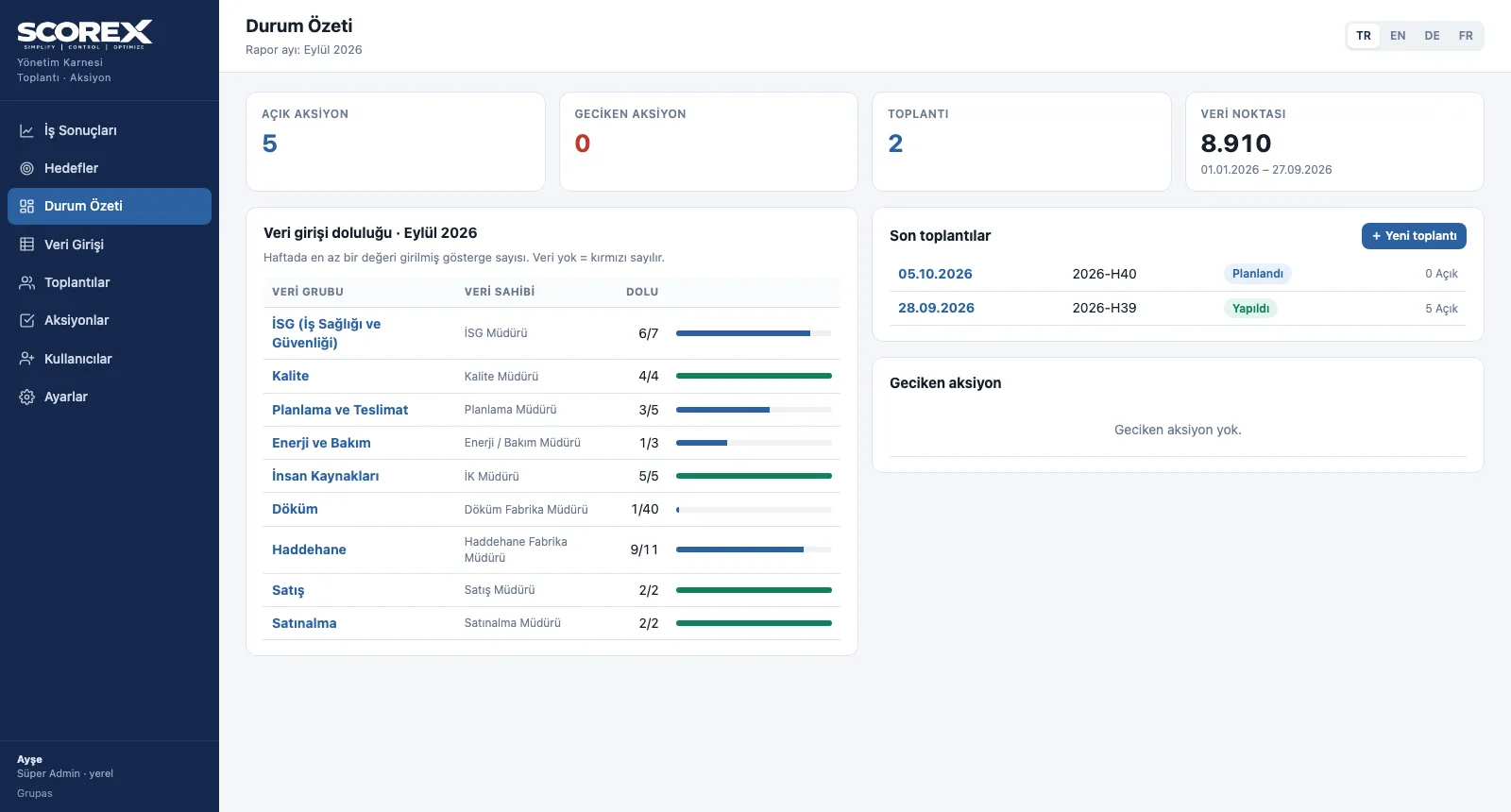
Enter daily data, fill in the tables and watch completeness on one screen.
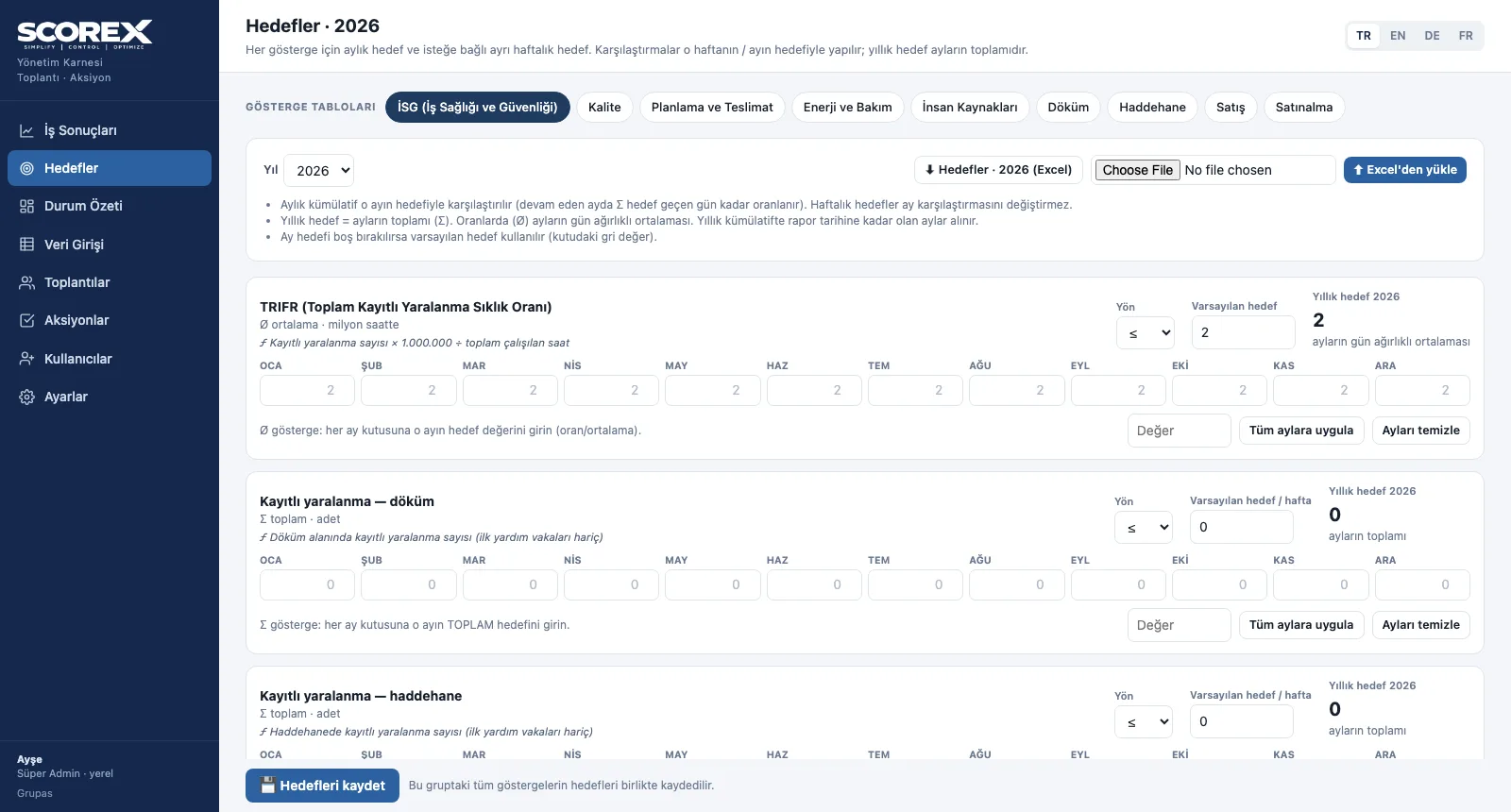
Targets, Excel and Period Lock
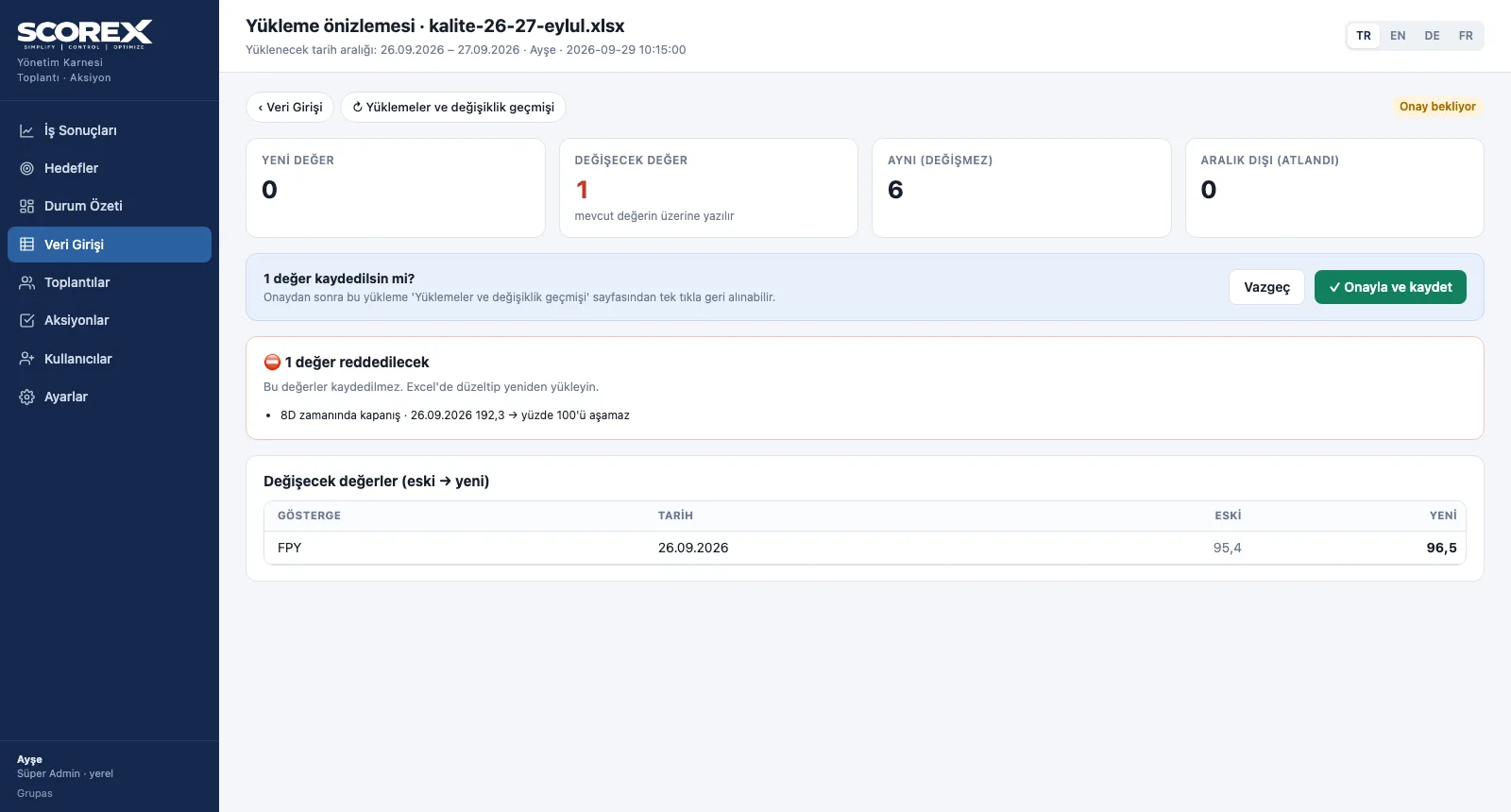
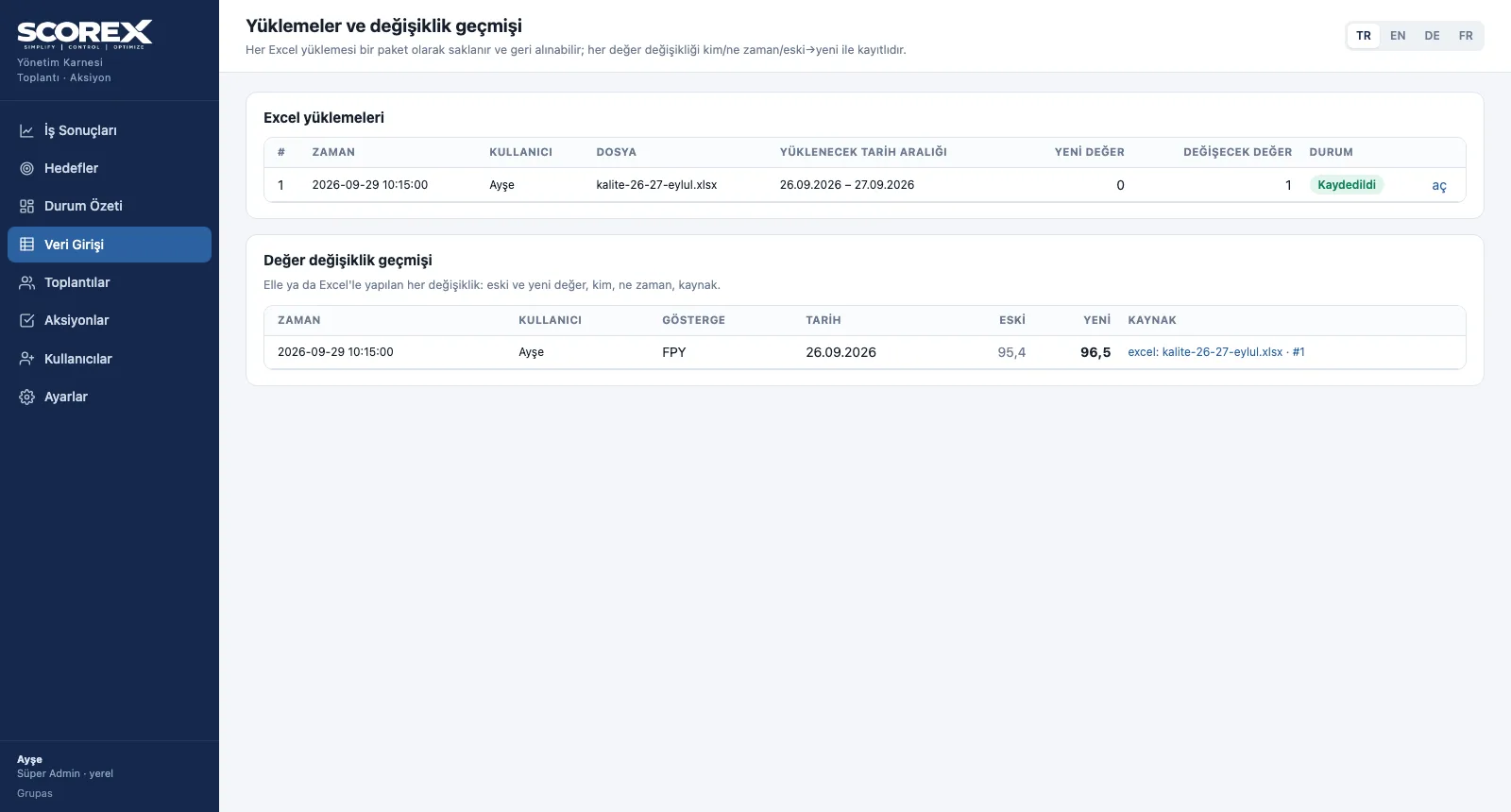
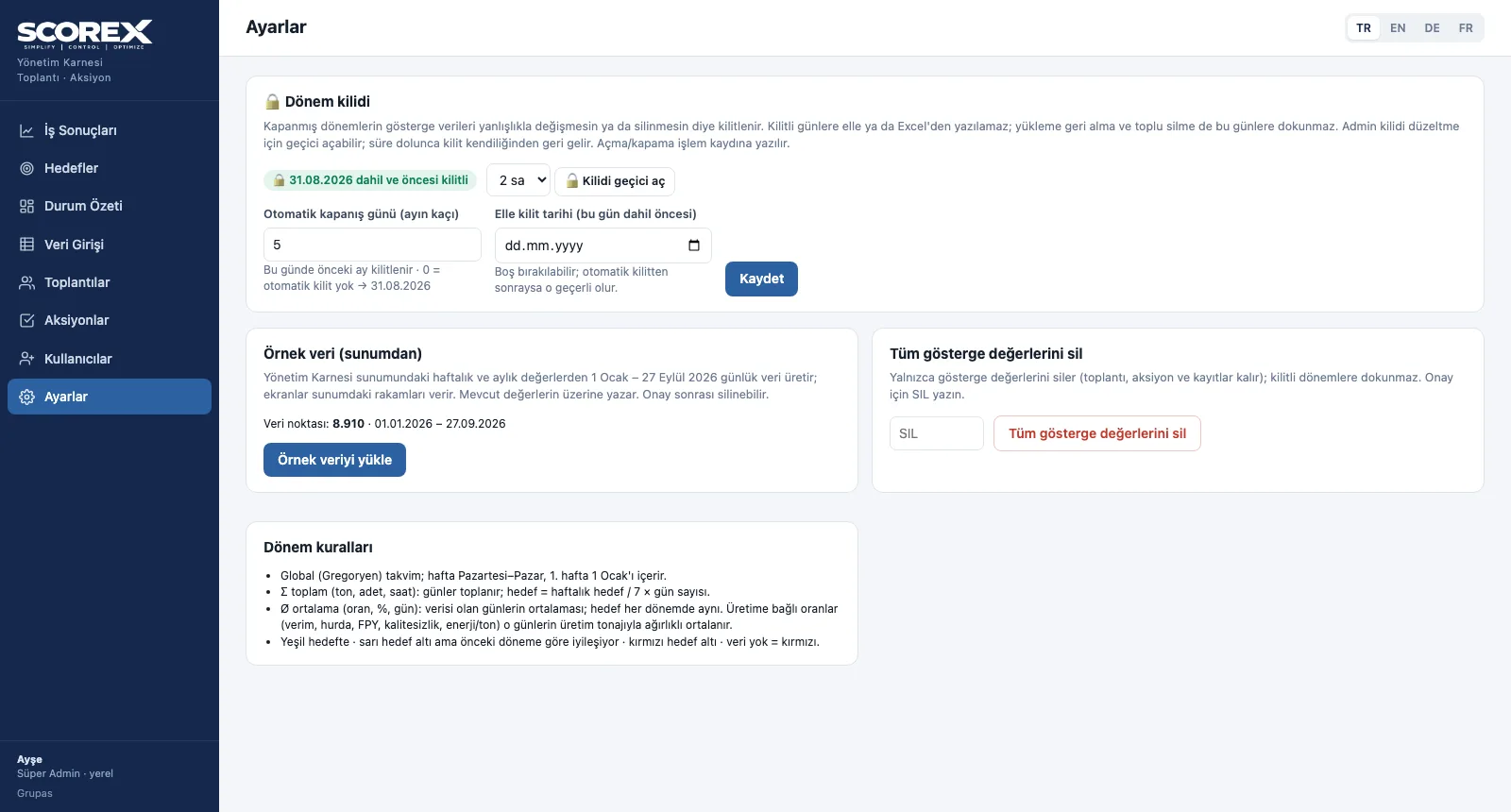
Set the targets, transfer data safely with Excel and lock the closed period.
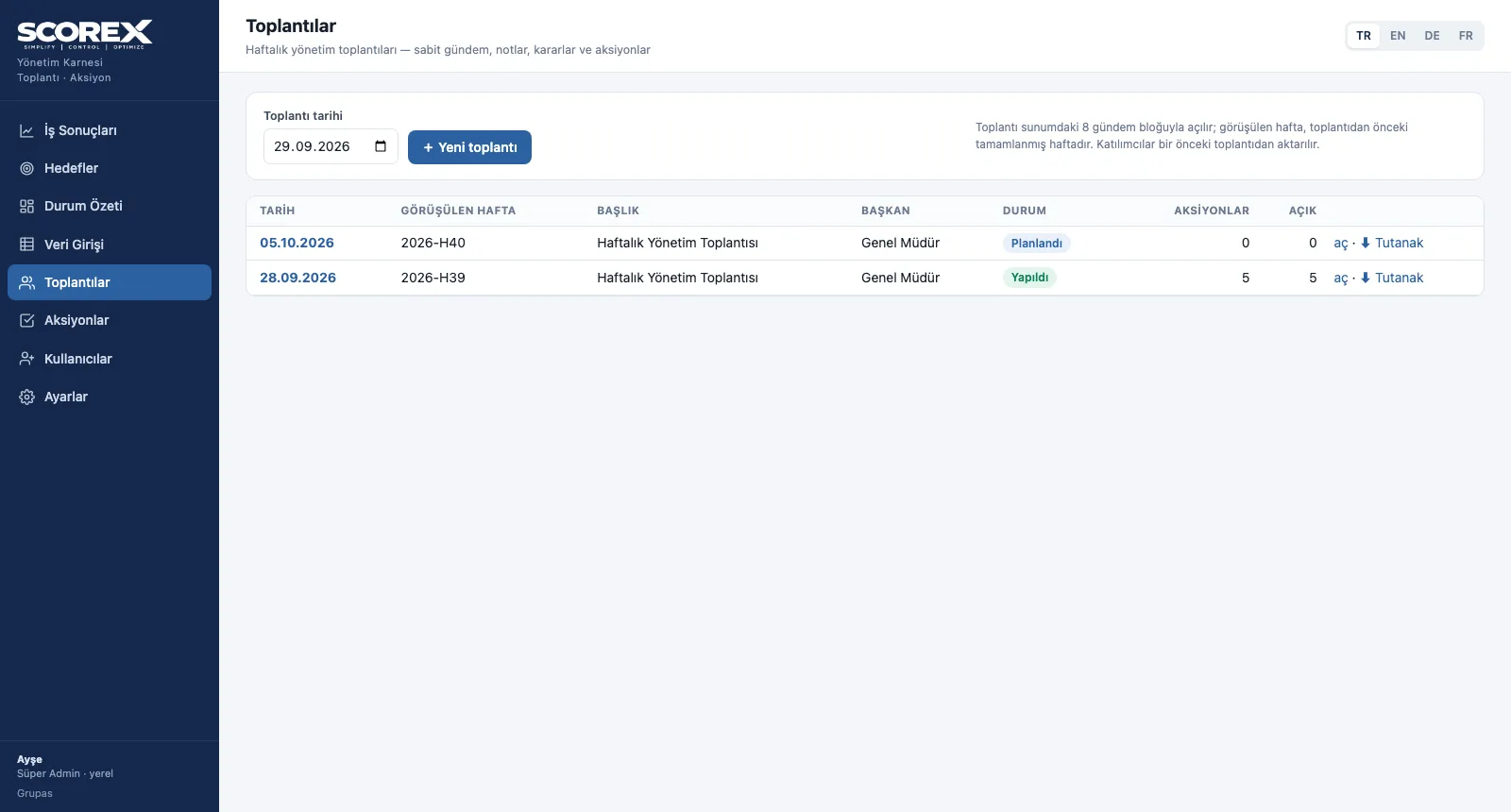
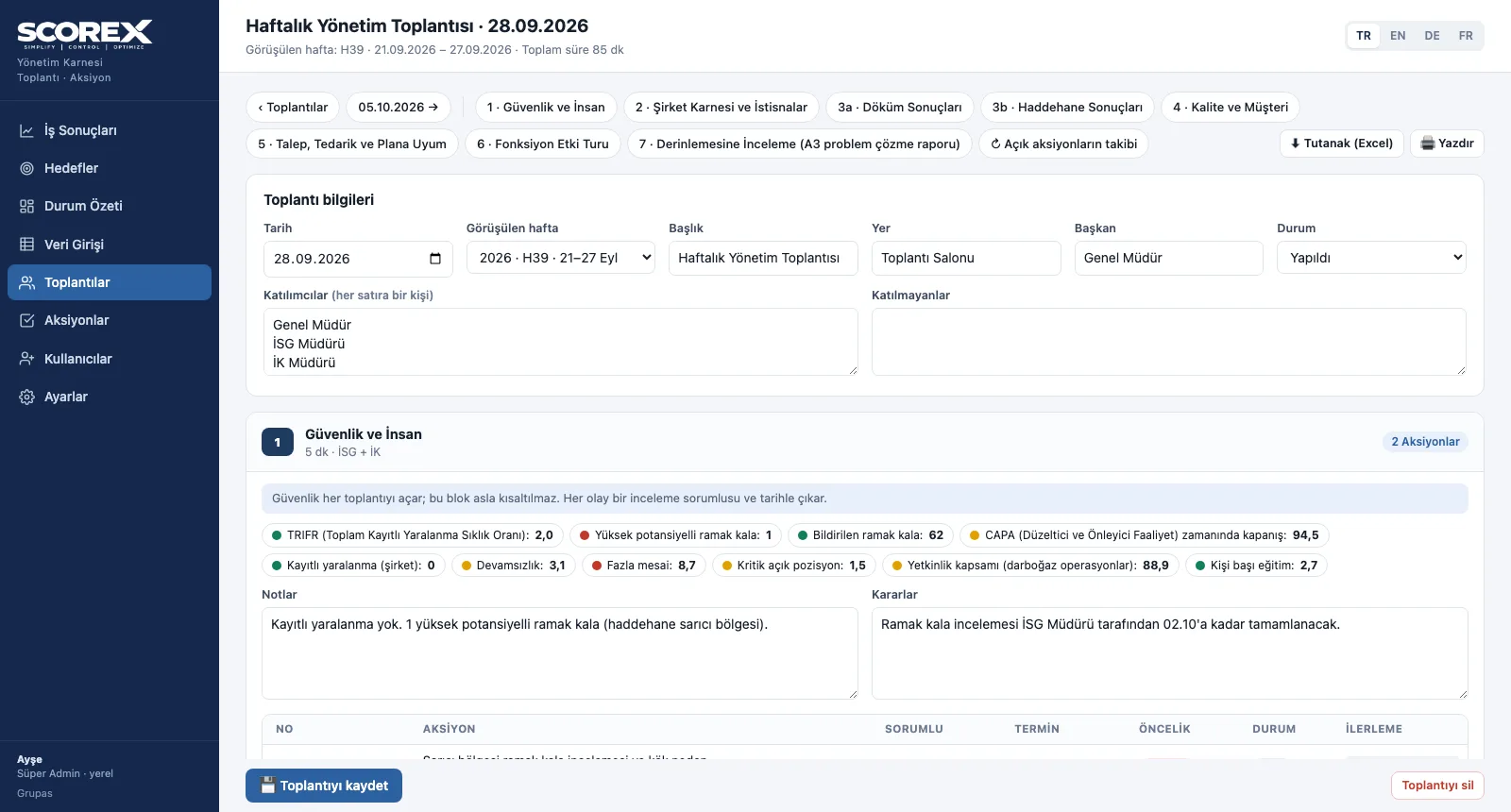
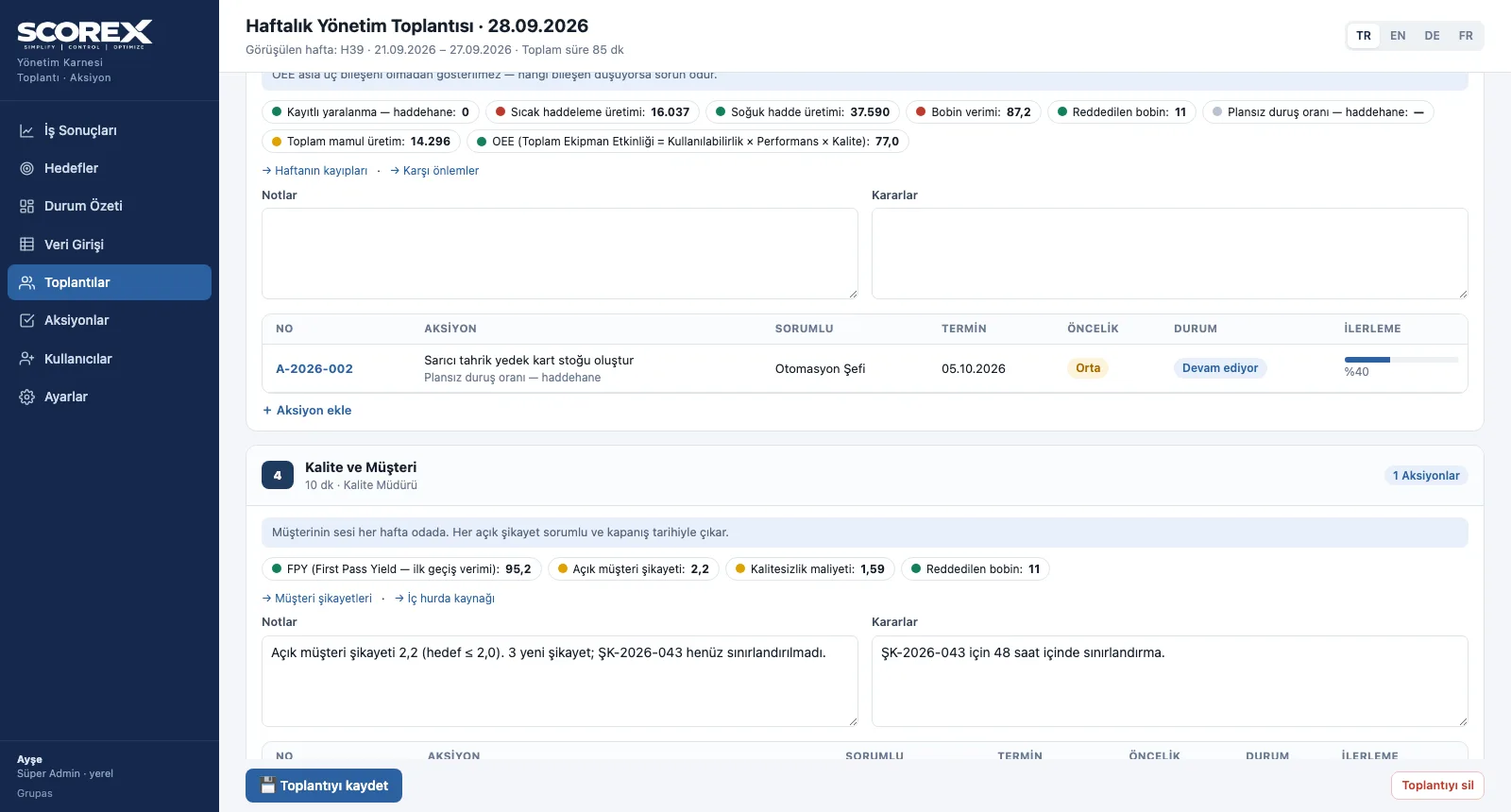
Weekly Management Meeting
Open the meeting, run the blocks in order and turn decisions into actions.
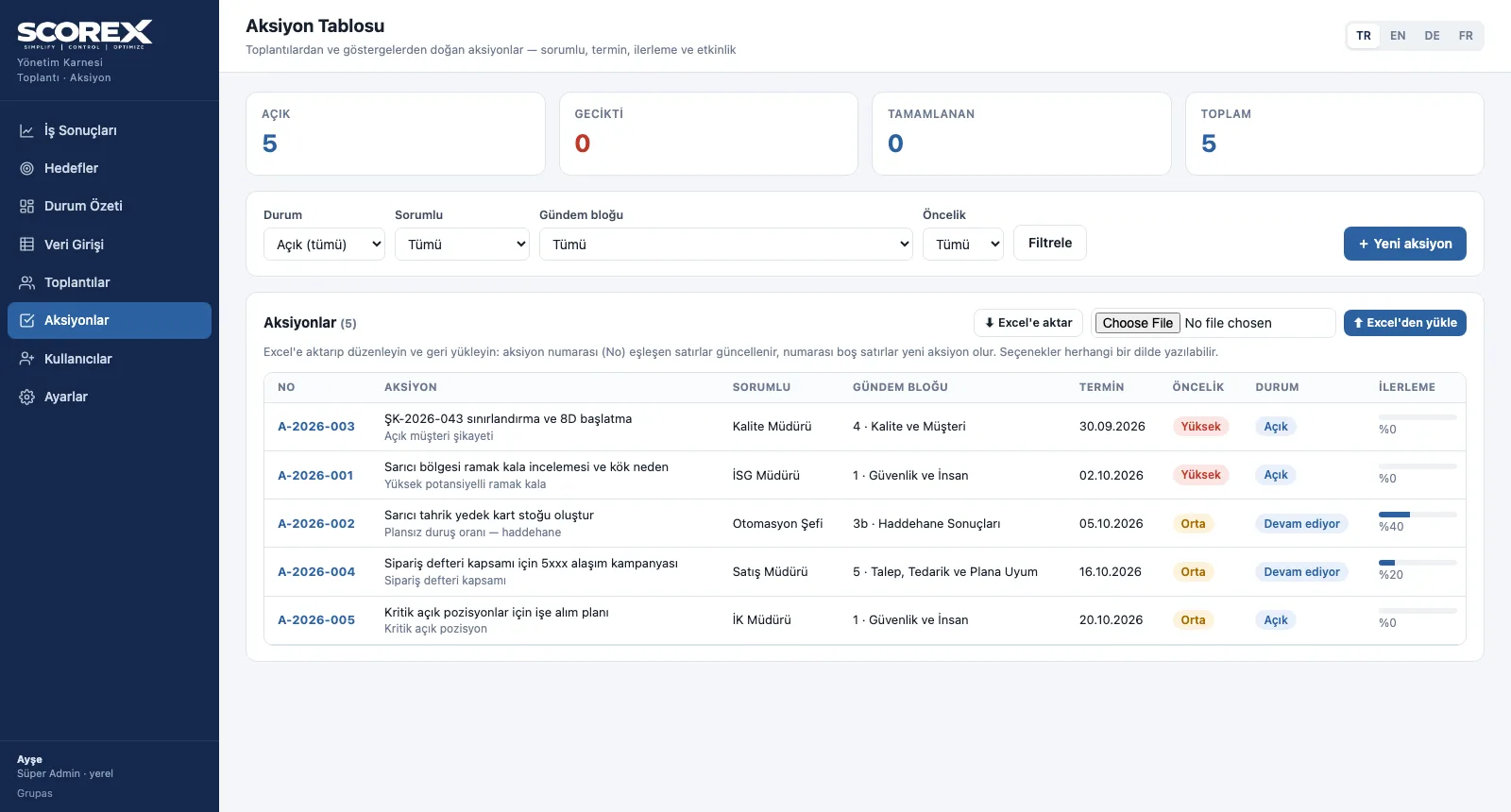
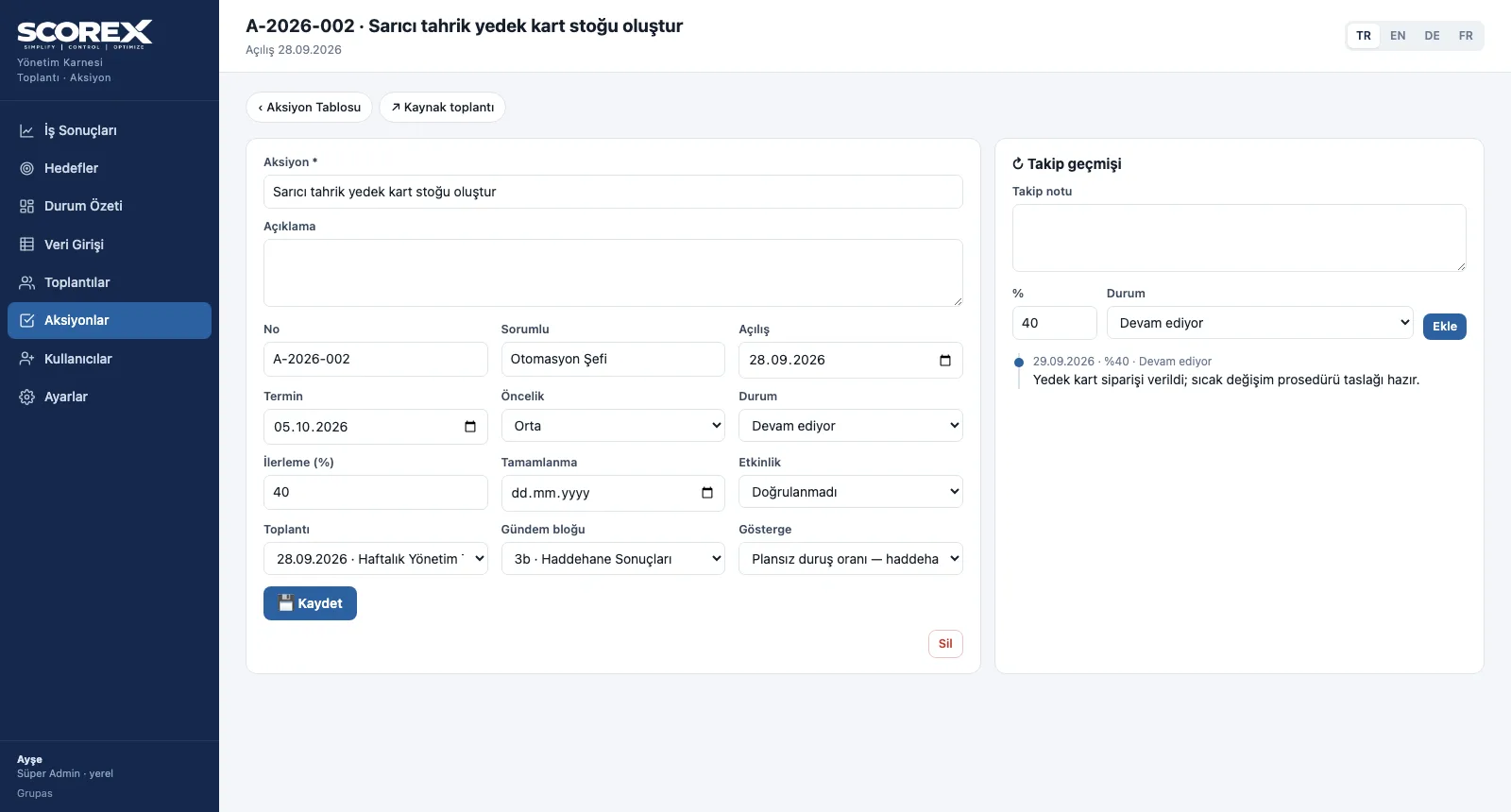
Action Tracking
Open the action, follow it up, verify its effect.
See your scorecard in SCOREX
Write to us for a live walkthrough on the sample scorecard.