
Daily Data Entry
Each data owner enters their own indicators daily; the scorecard fills itself.
Indicators are grouped by data owner (in the sample scorecard: HSE, quality, planning, energy and maintenance, HR, plants, sales, procurement). Each group has its own entry page: rows are days, columns are indicators. Entering one value per week is also valid. Tables such as losses, countermeasures and customer complaints are kept in separate record tables.
What you gain with SCOREX
- Calculated indicators update themselves after saving; month results appear on the entry page.
- Record tables can also be exported to Excel and uploaded back.
How it works
Enter daily data, fill in the tables and watch completeness on one screen.
-
1
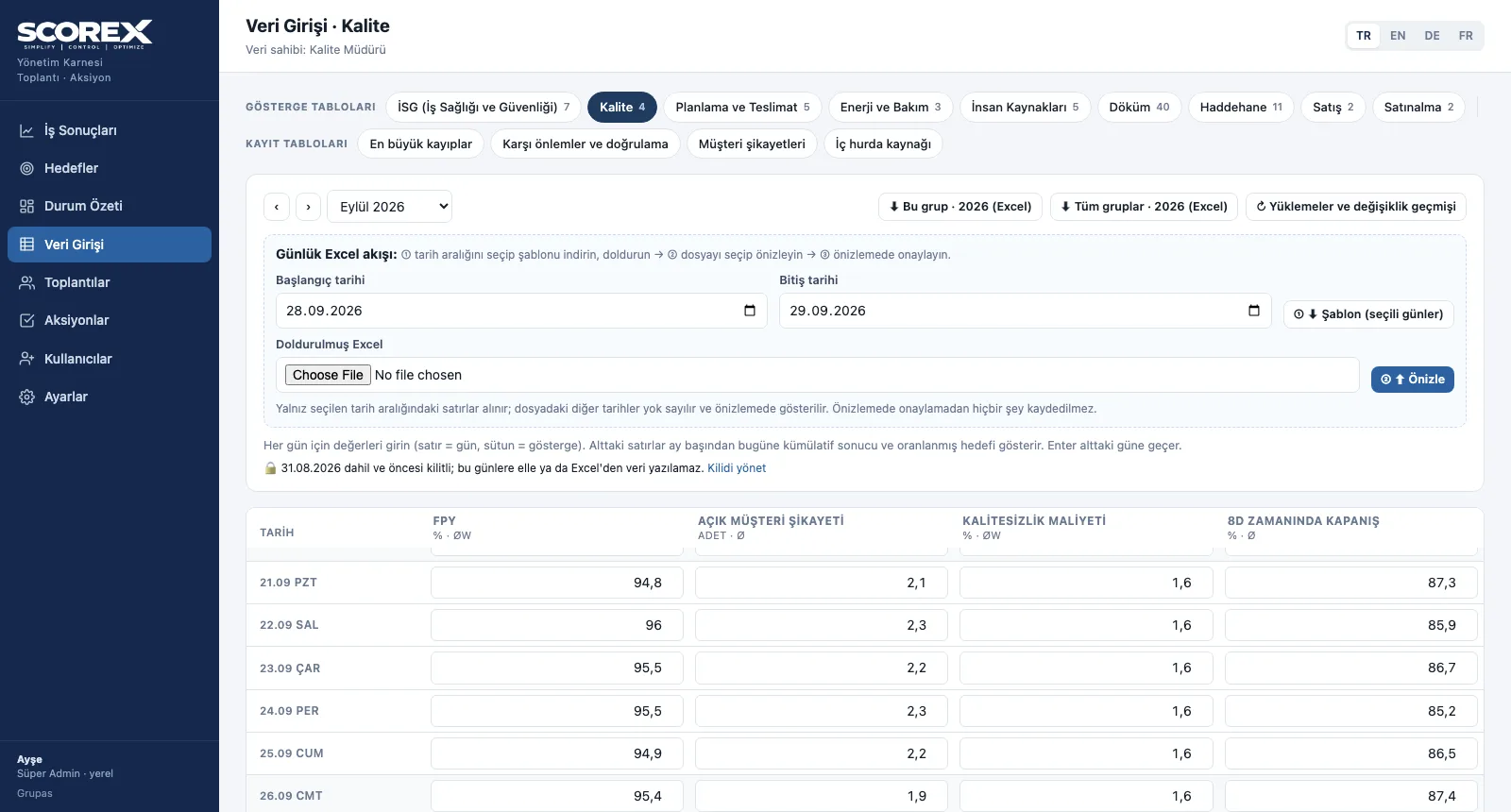
Open your group and enter
Days in rows, indicators in columns; month-to-date result, cumulative target and monthly target underneath.
-
2
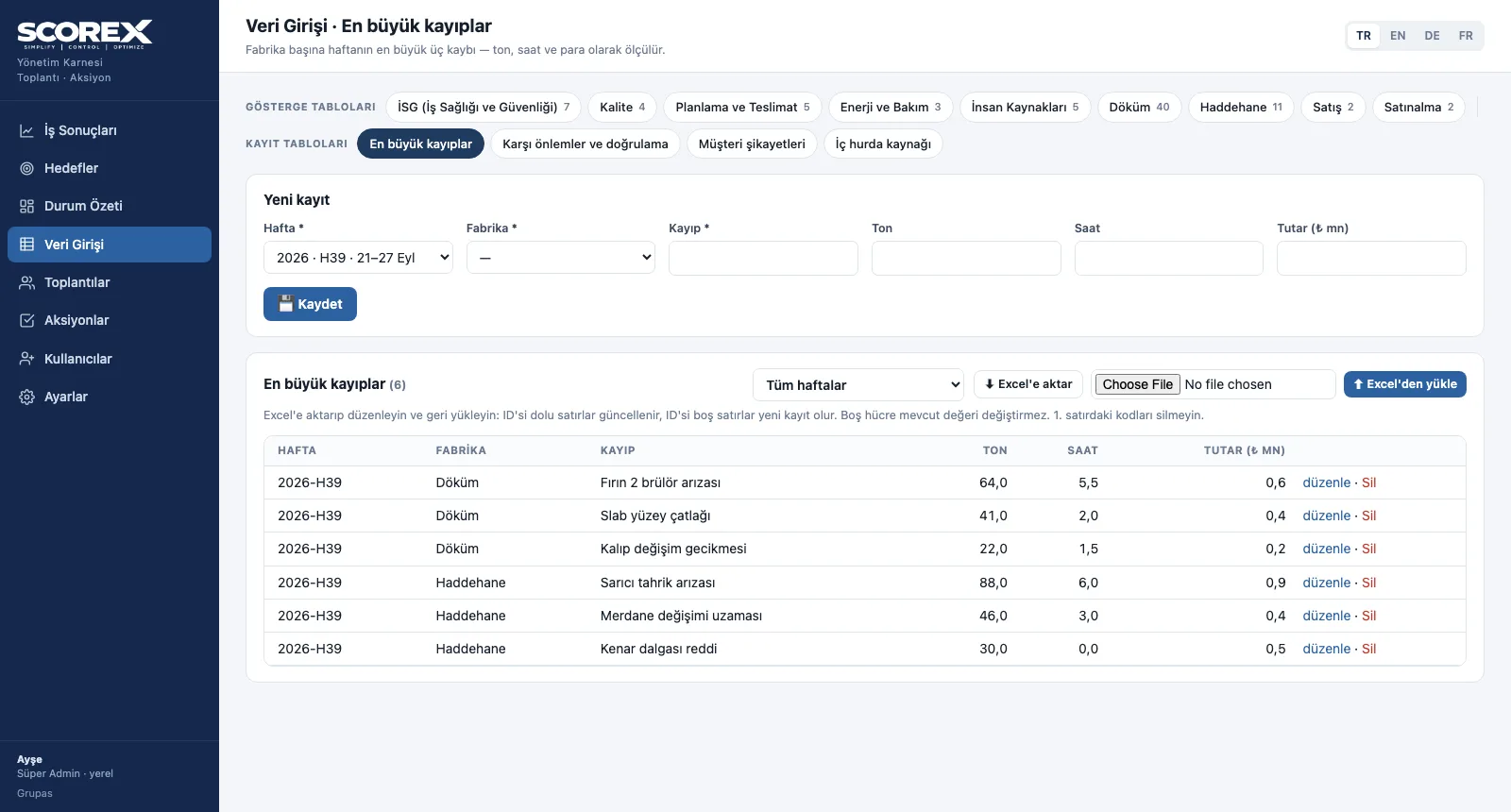
Fill in the record tables
The week's biggest losses, countermeasures, customer complaints and scrap source; shown in the related meeting block.
-
3
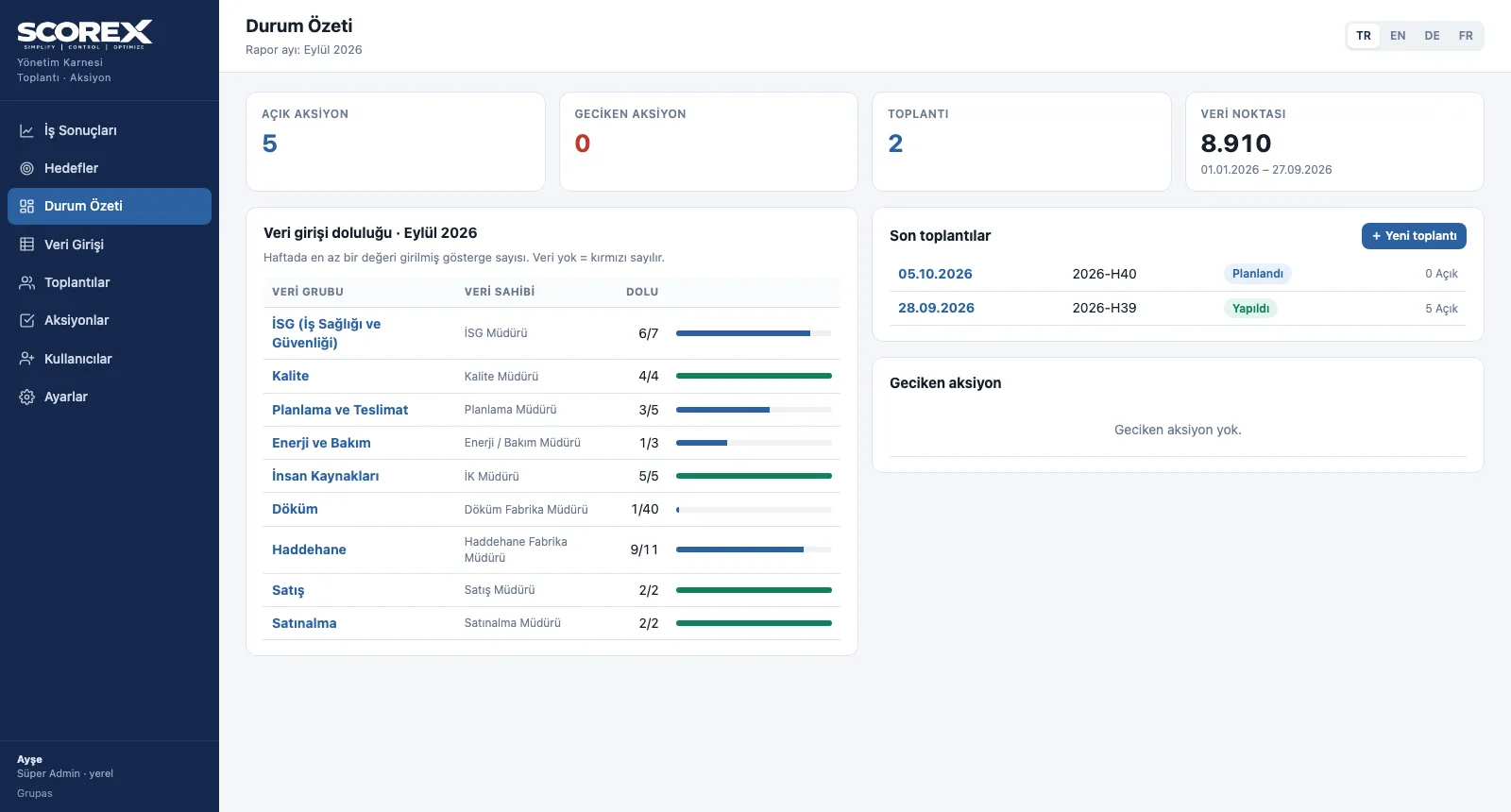
Watch completeness
The status summary shows which group's data is missing, plus open and overdue actions.
Screens are shown with the sample scorecard; the application interface is available in four languages (TR / EN / DE / FR).
Purpose
To enter data once, at the source, by its owner — and to see whether the scorecard is complete.
Features
- Data owner groups: a separate entry page and owner for each group
- Daily grid: month selection, month-to-date result and prorated target underneath; Enter moves to the next day
- Record tables: biggest losses, countermeasures and verification, customer complaints, internal scrap source
- Validation: negative values, percentages over 100 and future dates are rejected; clear outliers against the last 28 days are flagged
- Status summary: data entry completeness per group, open and overdue actions, recent meetings
Benefits
- Data in one place, with its owner
- Comma and digit errors are caught before saving
- Missing data shows red and is not forgotten
Who uses it
Department and plant managers; HSE, quality, planning, energy, HR, sales and procurement owners.
All features
See your scorecard in SCOREX
Write to us for a live walkthrough on the sample scorecard.
Request a demo