
Six capabilities, one application
SCOREX is one package: every feature comes with every license. SCOREX capabilities follow the natural order of a management week: see the scorecard, understand the indicator, enter the data, set targets, decide in the meeting, close the action.
Management Scorecard
All of the company's indicators on one scorecard: green, yellow, red.
Explore UnderstandIndicator Analysis and Exceptions
Each indicator's calculation, trend and exception in plain sight.
Explore EnterDaily Data Entry
Each data owner enters their own indicators daily; the scorecard fills itself.
Explore Set targetsTargets, Excel and Period Lock
Targets, Excel transfer and period lock: data stays safe, comparisons stay right.
Explore DecideWeekly Management Meeting
The weekly management meeting runs on a fixed agenda, right on top of the scorecard.
Explore CloseAction Tracking
Every action born in a meeting or from an indicator is tracked until it closes.
ExploreManagement Scorecard
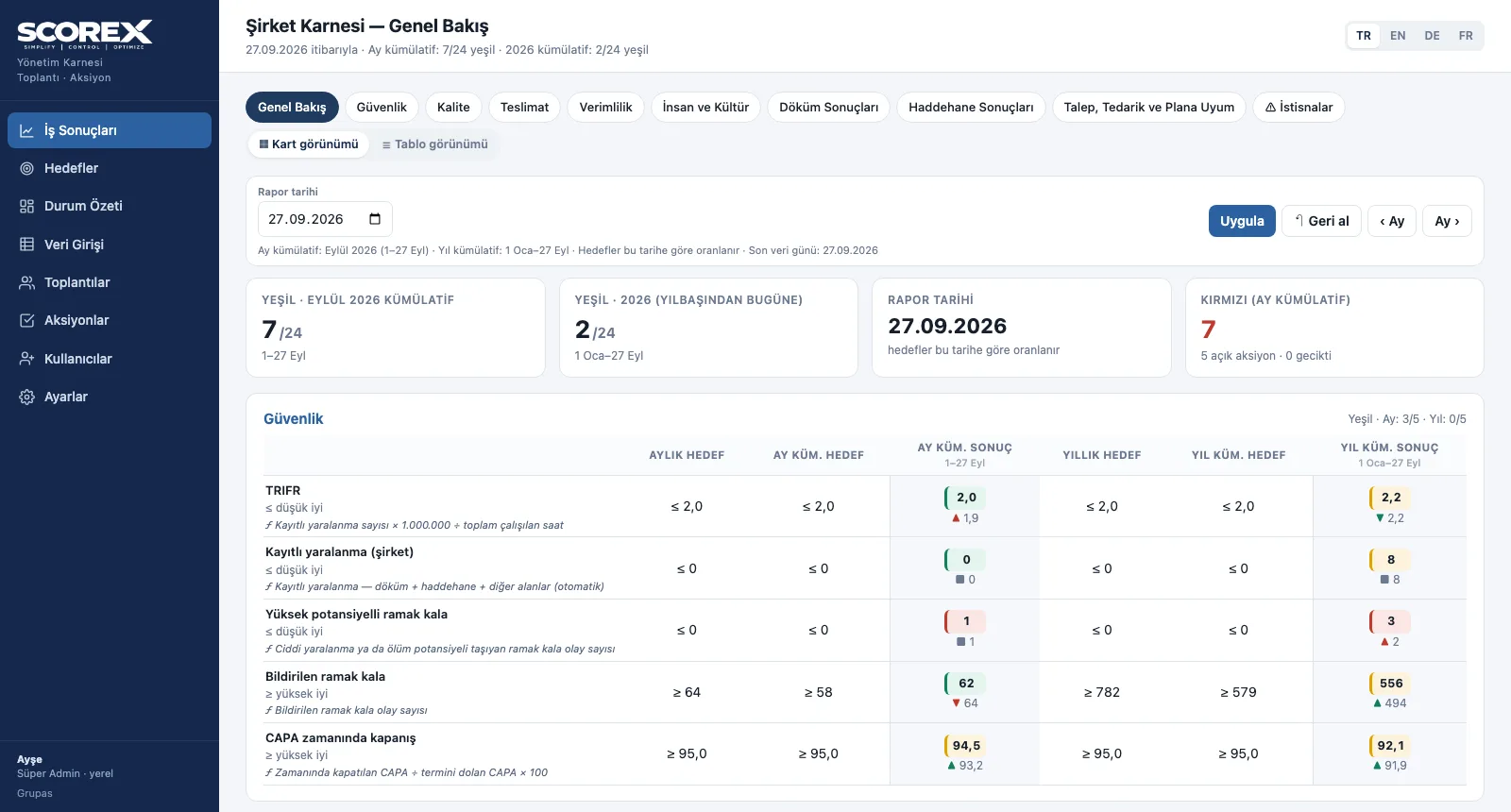
The management scorecard groups indicators into sections (safety, quality, delivery, productivity, people and culture, plant results, demand and supply) and shows the monthly target, month-to-date result, annual target and year-to-date result side by side. Every result works out its own colour.
- Overview: the scorecard section by section, month- and year-to-date green count, reds and open actions
- Status: green = on target · yellow = below target but improving on the previous period · red = below target or no data
- Section boards: daily and monthly charts in card view, every indicator in one list in table view
- Report date selection: view the scorecard of any past day with the same rules; month forward / back
- Reading guide and abbreviations below the scorecard; the formula next to each indicator
Indicator Analysis and Exceptions
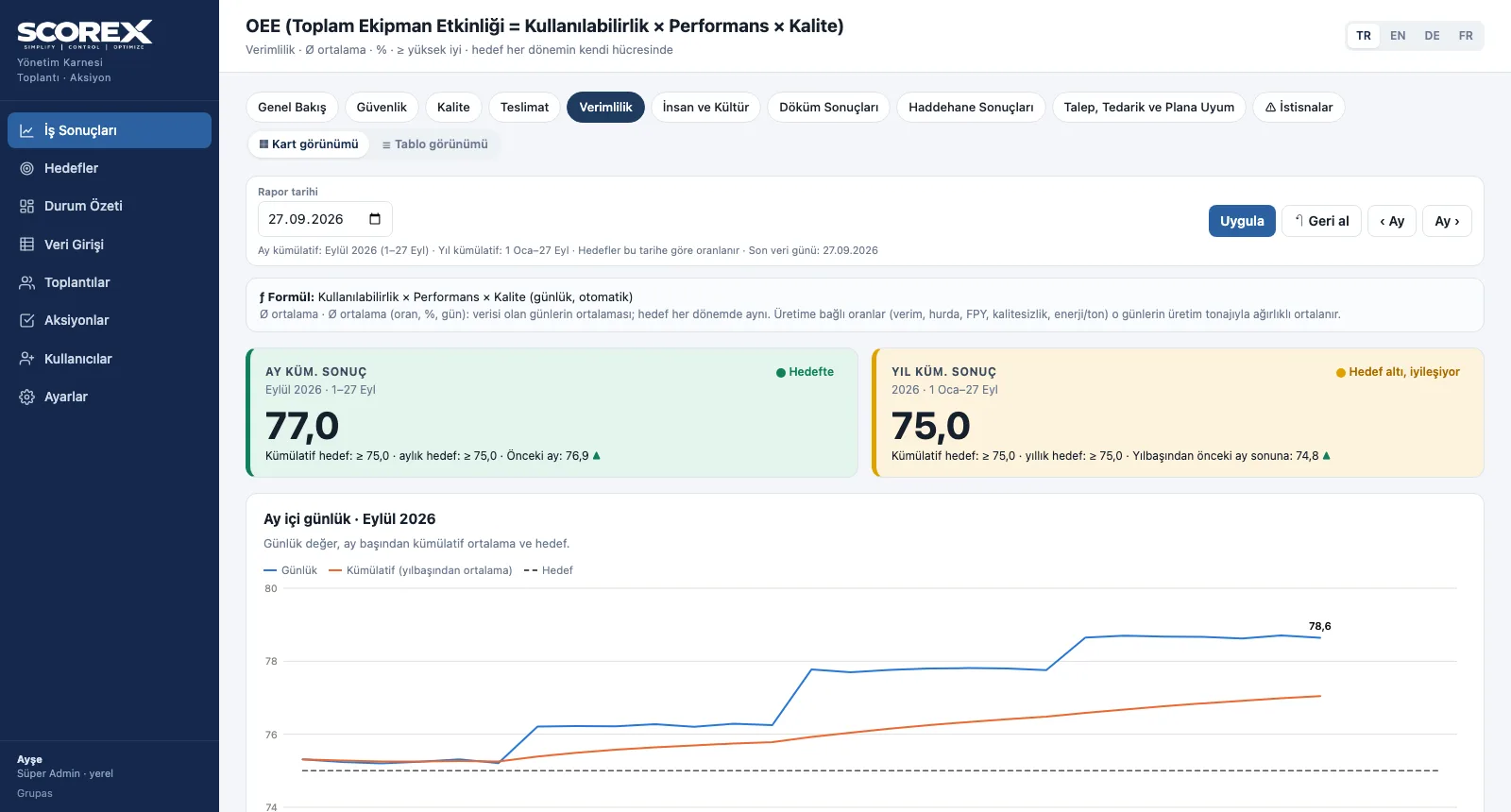
Indicators are stored as daily values; the period result follows the indicator's rule. Sum indicators (tonnes, counts, hours) add up the days, average indicators (ratios, %, days) average the days with data; production-related ratios are weighted by that day's output, and ratio indicators are calculated from period totals.
- Indicator page: formula, month- and year-to-date result cards, direction against the previous period
- Daily chart for the month (daily, cumulative, target) and monthly chart for the year
- Monthly target and result table, actions linked to the indicator, value change history
- Calculated indicators (OEE, ratios, costs) are not entered; they are derived from their components
- Exceptions: this week's reds, ranked by consecutive red weeks, with their agenda block and owner
Daily Data Entry
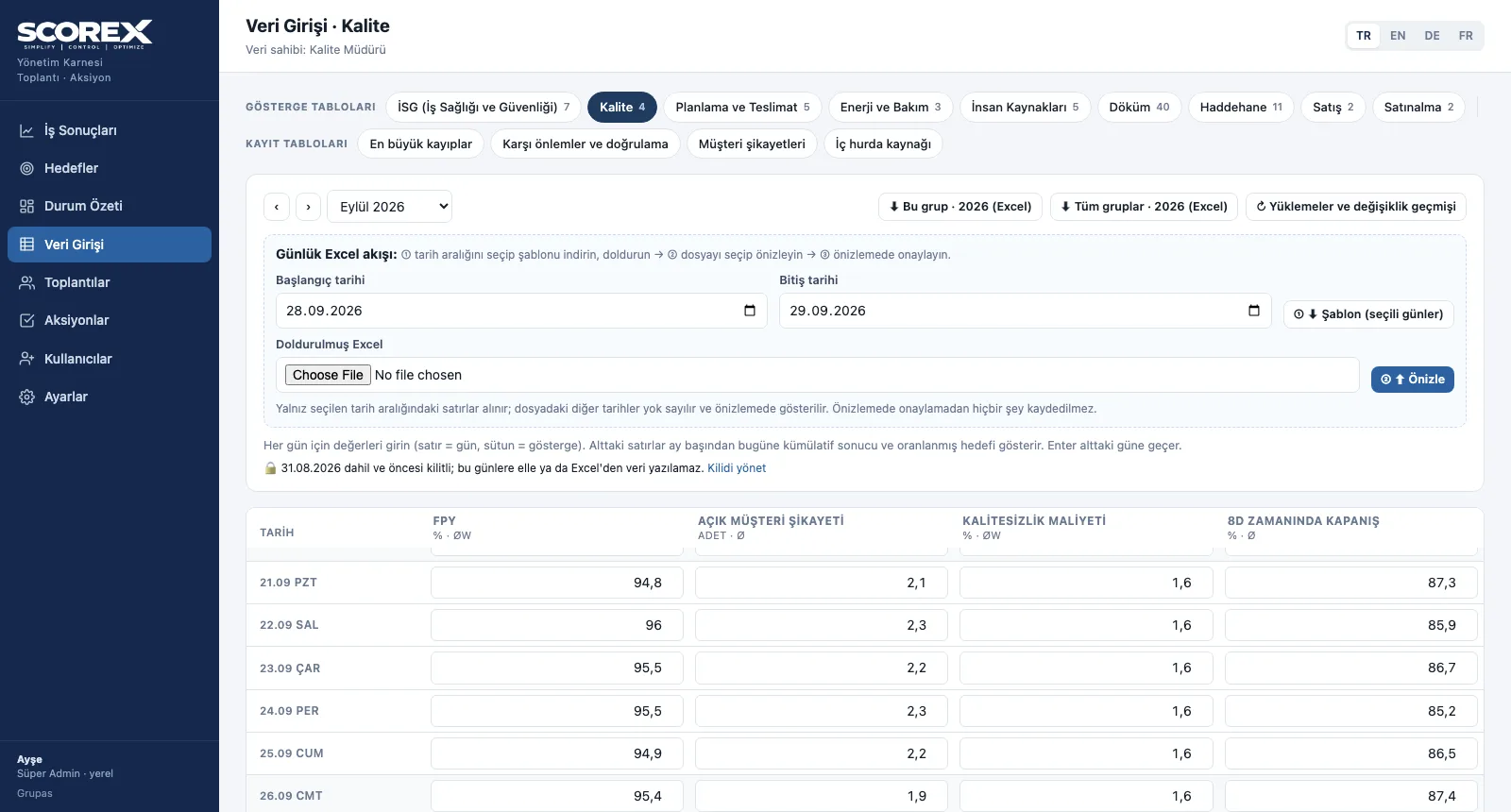
Indicators are grouped by data owner (in the sample scorecard: HSE, quality, planning, energy and maintenance, HR, plants, sales, procurement). Each group has its own entry page: rows are days, columns are indicators. Entering one value per week is also valid. Tables such as losses, countermeasures and customer complaints are kept in separate record tables.
- Data owner groups: a separate entry page and owner for each group
- Daily grid: month selection, month-to-date result and prorated target underneath; Enter moves to the next day
- Record tables: biggest losses, countermeasures and verification, customer complaints, internal scrap source
- Validation: negative values, percentages over 100 and future dates are rejected; clear outliers against the last 28 days are flagged
- Status summary: data entry completeness per group, open and overdue actions, recent meetings
Targets, Excel and Period Lock
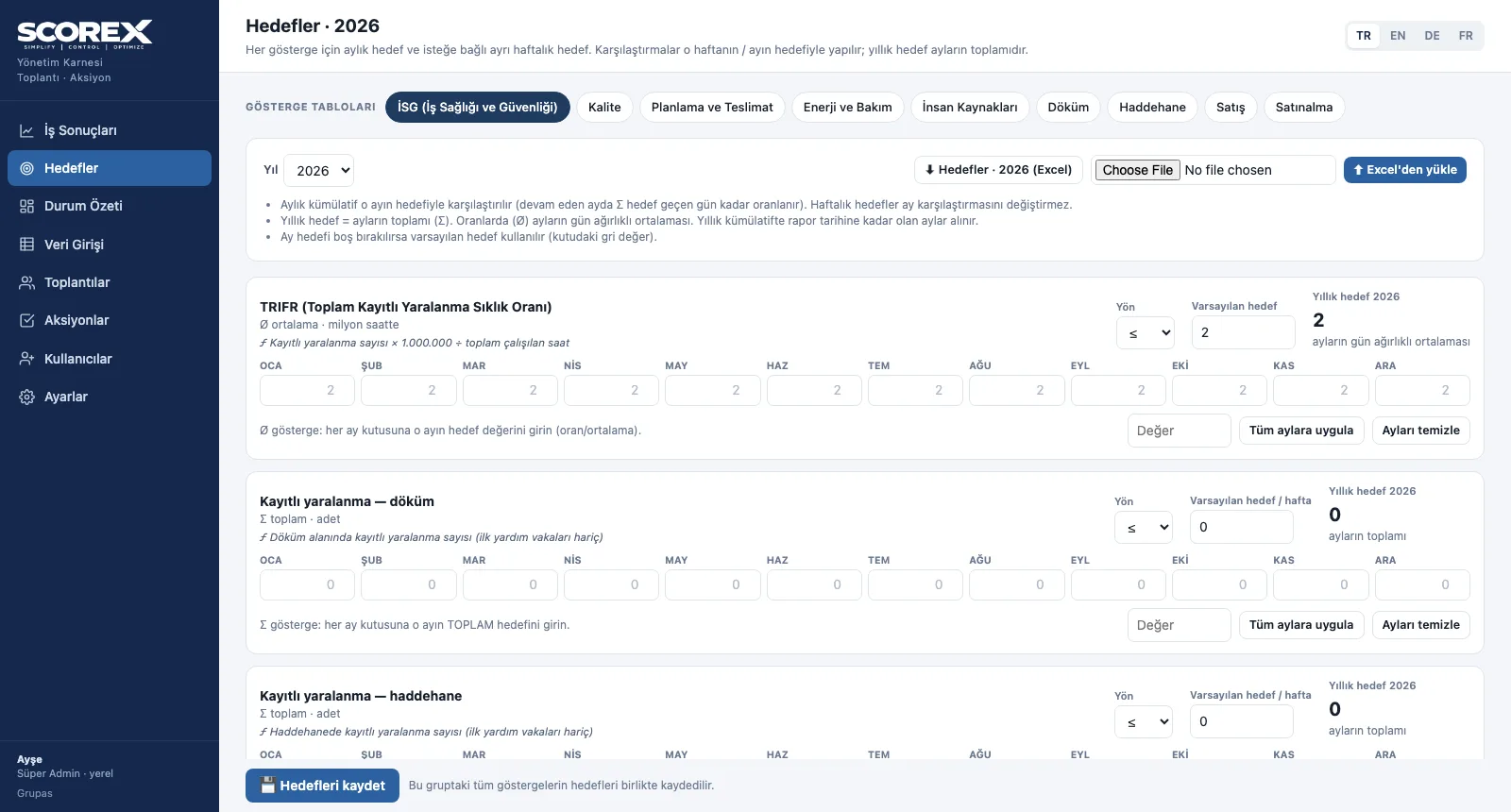
Each indicator has a default target, a direction (higher is better / lower is better) and an optional monthly or weekly target. Data and targets move in and out through Excel: a file is previewed first, nothing is written without approval, and an approved upload can be undone in one click. Closed periods are locked.
- Targets: default + 12 monthly targets + optional weekly targets; apply to all months / clear; Excel
- Daily Excel template: a file to fill for the chosen date range; one group or all groups
- Upload preview: new, changed, unchanged and out-of-range values; rejected values and warnings
- Uploads and change history: every batch can be undone; every value change with who / when / old → new
- Period lock: the previous month locks on a set day each month; manual lock date; temporary unlock
Weekly Management Meeting
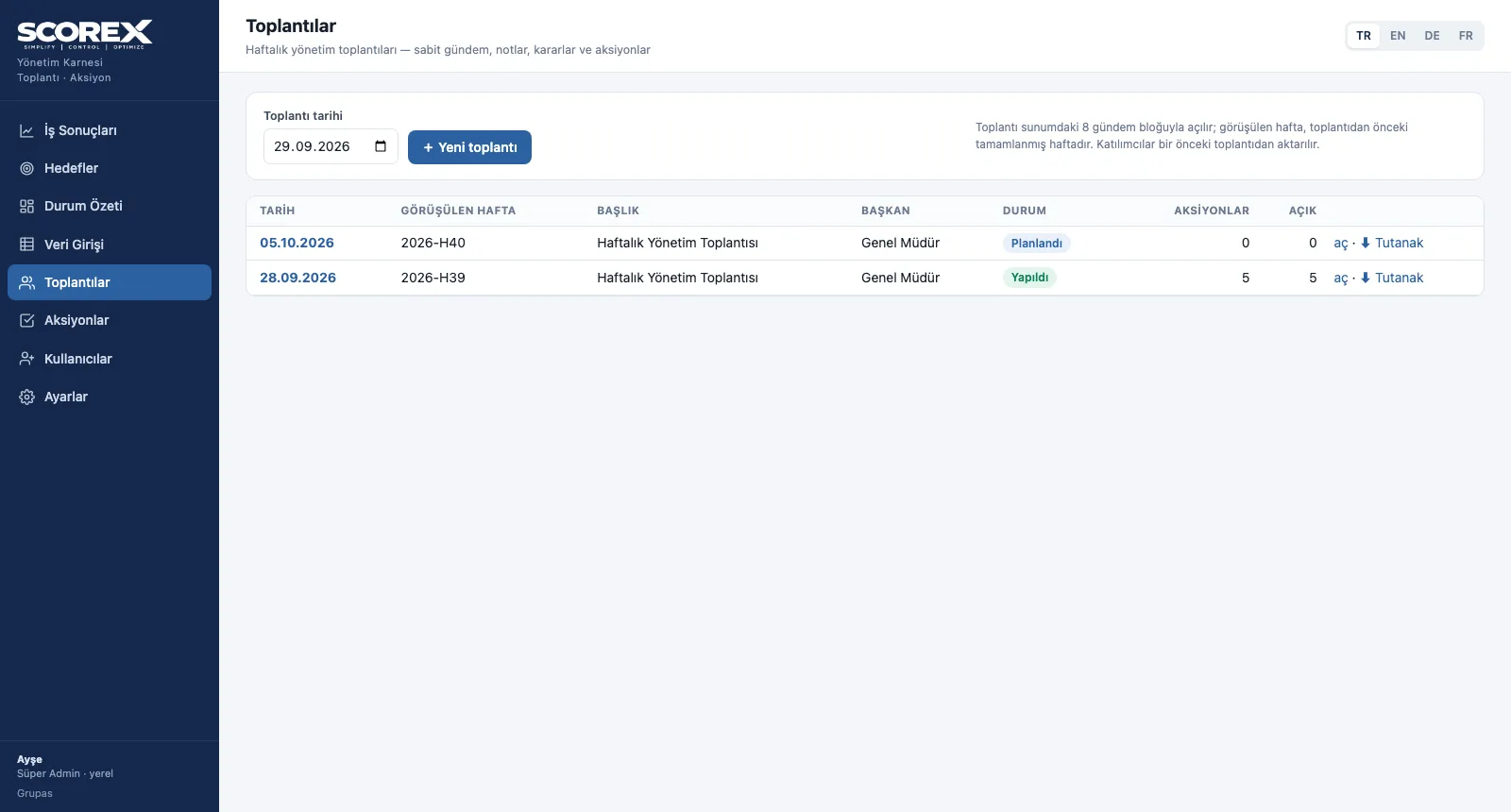
Every meeting opens with the same eight agenda blocks: safety and people, company scorecard and exceptions, plant results, quality and customer, demand–supply–schedule adherence, function impact round and deep dive (A3). Each block has a duration, an owner and a rule; the indicators discussed sit inside the block with their colours.
- Meeting details: date, week reviewed, location, chair, status, attendees and absentees
- Eight fixed agenda blocks: duration, owner and rule; the related indicators shown in colour
- Notes and decisions in each block; open an action straight from the block
- Follow-up of open actions from earlier meetings: status is updated, the note goes into the follow-up history
- The minutes download as Excel; the page can be printed
Action Tracking
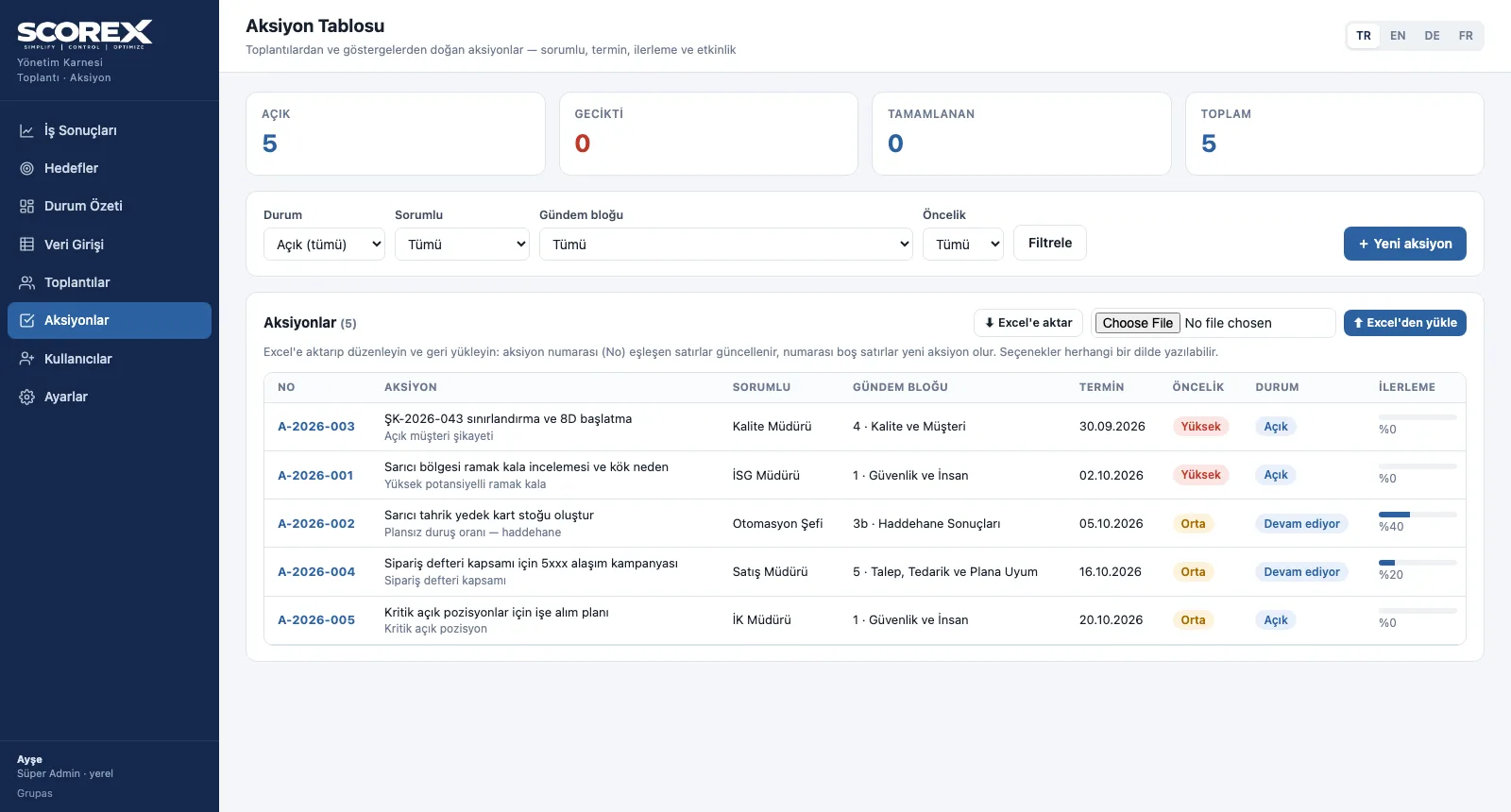
The action table brings every action together with its number, owner, agenda block, due date, priority, status and progress. An action past its due date shows as overdue on its own; whether a completed action was effective is verified separately.
- Summary: open, overdue, completed and total actions
- Filters: status, owner, agenda block, priority
- Action card: description, opening and due date, priority (high / medium / low), status, progress %, completion, linked meeting and indicator
- Effectiveness check: not verified / effective / partly effective / not effective
- Follow-up history and Excel: each note with date and progress; the table exports to Excel and uploads back
See your scorecard in SCOREX
Write to us for a live walkthrough on the sample scorecard.